
How Tula Hats Got Their Month-End Back With Sagify
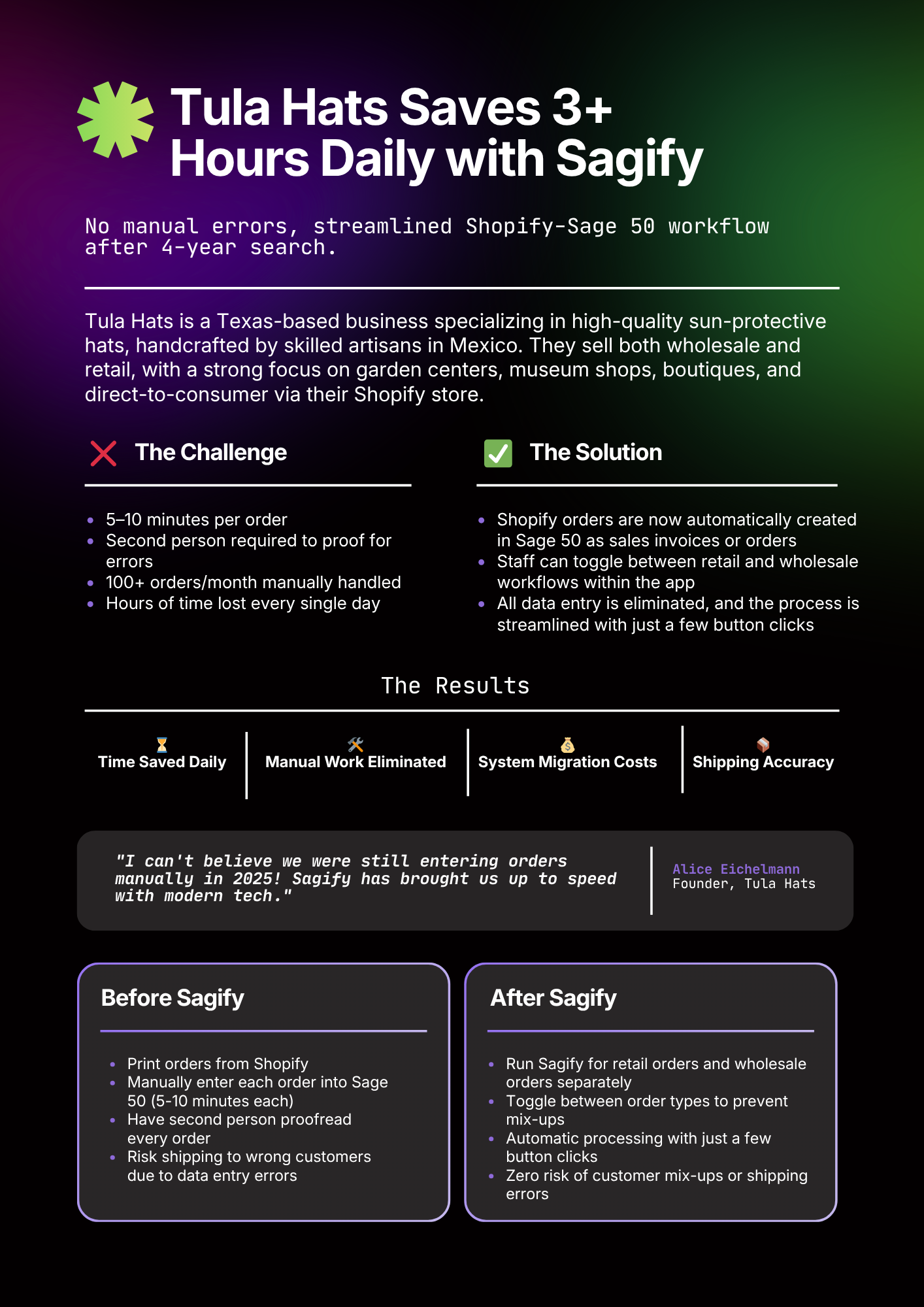
How a wholesale hat business eliminated 10+ hours of weekly manual entry between Shopify and Sage 50 and turned a three-day month-end close into a same-day exercise.
Tula Hats is the kind of Shopify merchant that proves the scaling tax is real. They started as one store, one payment gateway, a clean set of SKUs. As the brand grew — new product lines, wholesale channel, marketplace expansion — the back-office complexity grew faster than the team did.
This is the story of how their month-end close went from a three-day exercise to a same-day one, and what changed to make it happen.
In this post:
- The setup
- What was actually happening
- What changed
- The numbers
- What they said
- What this means for merchants like you
- FAQ

The Setup
Merchant: Tula Hats Industry: Wholesale hat business (DTC and B2B) Size: Multi-store Shopify, seasonal volume spikes Accounting stack: Sage 50 Problem: Manual data entry between Shopify and Sage 50 was eating 10+ hours weekly and making month-end close a three-day exercise
Their accounting lived in Sage 50. The controller had built a workable manual workflow: weekly CSV export from Shopify, manual customer matching, keyed invoices, separate inventory adjustments, and a spreadsheet-based payout reconciliation that took half of Friday.
"It worked," their controller told us, "until we added the second store. Then everything took twice as long, and we were finding errors from four weeks back."
What Was Actually Happening
Three specific failure patterns had crept in by the time Tula Hats looked for a better option.
Duplicate Customers
The problem: Guest checkouts were creating new Sage 50 customer records even when the same person had bought before. Their customer list had grown to a size that wasn't useful for anything.
Why it happened: Their manual workflow didn't have a normalization step for email case or small name variations, so "john.smith@gmail.com" and "John.Smith@gmail.com" were treated as two separate people.
Payout Drift
The problem: The Shopify payout spreadsheet and the Sage 50 bank line disagreed by small amounts every week. The variance was always within $10, so it got written off — but it was masking a tax rounding issue that, compounded, was off the quarterly return by several hundred dollars.
Why it happened: Taxes were being re-summed at the invoice level rather than preserved per line, introducing penny-level drift across hundreds of orders.
Month-End Panic
The problem: Inventory was updated manually at month-end rather than continuously, so the team spent the last day of every month frantically reconciling physical counts against a Sage number that hadn't moved in three weeks.
Why it happened: The spreadsheet-based update cadence meant Sage 50 inventory was always stale; the truth lived in Shopify until someone had time to sync it.
None of these were crises on their own. Together, they were making the job of running the business harder than the business itself.

What Changed
Tula Hats moved to Sagify over two weeks. The core of the work was mapping:
- Their Shopify product variants to Sage 50 stock codes across both stores
- Their tax rules, including multi-state and sales tax holidays
- Their custom chart of accounts — separate revenue accounts per product line, which Sagify honored instead of flattening
The New Daily Workflow
- Open Sagify on the desktop
- Select the date range (typically the previous day)
- Click "Process" — Sagify pulls Shopify orders and creates sales invoices in Sage 50
- Click "Reconcile payouts" — Sagify matches Shopify deposits to the bank line
Two weeks in, the sync was live. One month in, the manual workflow was turned off.
The Numbers
Before Sagify:
- 10+ hours/week of manual invoice entry
- ~4 hours/week on payout reconciliation
- 3 days for month-end close, including inventory reconciliation
- Quarterly tax variance from rounding drift
- 1,000+ duplicate customer records in Sage 50
After Sagify:
- Under an hour/week of data entry (spot-checks and exceptions)
- Payout reconciliation fully automated — bank lines match on click
- Same-day month-end close — inventory continuously accurate
- Zero rounding variance — tax calculated at the line level, idempotent
- Clean customer list with dedup rules preventing re-introduction
By the controller's own math, Sagify paid for itself in the first month on time savings alone. The rounding and duplicate fixes were bonus.

What They Said
We didn't realize how much the manual process was shaping our whole month until it was gone. The first month-end after Sagify went live, we finished by lunch. I thought I'd forgotten something.
That's the comment we hear most often from merchants who move off manual. The work fades so completely that it takes a cycle or two before the team remembers they used to do it.
What This Means for Merchants Like You
If any of the following sound familiar, the Tula Hats pattern probably applies to you:
- Someone on your team spends a full day a week entering Shopify orders into Sage 50
- Your Sage 50 customer list is cluttered with duplicates
- Your Shopify payout totals "mostly" match your bank lines, with small unexplained variances
- Month-end close takes more than a day
The math on fixing it is almost always the same: an integration tool pays for itself in weeks on time savings alone, before you even count the accuracy improvements.
Want to see what this would look like on your numbers? Book a free demo and we'll walk through your specific Shopify + Sage 50 setup and show you where the hours are hiding.

Frequently Asked Questions
How long did the Tula Hats setup take?
Two weeks from kickoff to live sync, with another two weeks of running both the manual and automated processes in parallel before turning the manual workflow off.
Does Sagify support multi-store Shopify setups like Tula Hats'?
Yes. Multiple Shopify stores can sync into one Sage 50 company file, with rules to tag or segregate revenue as needed.
What about the duplicate customer problem — can Sagify clean up existing data?
Sagify prevents new duplicates going forward. Cleaning existing duplicates is a separate exercise, but our support team can walk you through best practices during setup.
Is the time savings typical, or is Tula Hats unusual?
Most multi-store Shopify + Sage 50 merchants see time savings in the same range — 80%+ reduction in weekly data entry time is typical, with month-end close shrinking to hours instead of days.
How do I get started like Tula Hats did?
Download the free trial or book a demo and we'll walk through your setup the same way we did with Tula Hats.
Related Reading
- Shopify Sage 50 Integration - The Complete Guide - Full integration overview
- How to Reconcile Shopify Payouts in Sage 50 - The payout problem Tula Hats solved
- How to Automatically Import Shopify Orders into Sage 50 - The order-import workflow
- Emergent Respiratory Case Study - Another merchant's Sagify story
Ready to get started?
Schedule a demo to see how we can help streamline your workflow.
Related articles

How to Match Shopify Customers to Sage 50 Without Duplicates
Strategic customer matching between Shopify and Sage 50. Email normalization, single web-sales account vs per-customer records, B2B vs DTC flows.

How to Reconcile Shopify Payouts in Sage 50 Without Losing Your Weekend
A practical method for matching Shopify Payments deposits to Sage 50, plus the integration approach that eliminates the reconciliation work entirely.
Two Sagify Case Studies, One Lesson — You Don't Have to Migrate Off Sage 50
Why Tula Hats and Emergent Respiratory didn't move to QuickBooks Online. They bridged Shopify to the Sage 50 they already trusted.