Hiring a Sage 50 Bookkeeper? Automate These Jobs First
Before you post the job: which parts of Sage 50 bookkeeping software can do (card statements, PO entry, journal entries) and which still need a person (reconciliation, discrepancies, judgment), and how to size the hours.
If you are about to hire a bookkeeper for Sage 50, split the job in two before you write the listing. One half is typing: card charges, purchase orders, repeating entries. Software can do that. The other half is judgment: reconciling accounts, chasing differences, explaining the numbers. That needs a person. Automate the first half and you hire for fewer hours, or get far more out of the hours you pay for.
In this guide:
- What a Sage 50 bookkeeper actually does
- The jobs software can take
- The jobs that still need a person
- How to size the hours
- What to put in the job listing
- Where to find a Sage 50 bookkeeper
- FAQ
What a Sage 50 Bookkeeper Actually Does
Read a few listings for Sage 50 bookkeepers and the same duties come up:
- Enter vendor invoices and maintain accounts payable
- Process and record bill payments
- Record customer payments and deposits
- Reconcile checking accounts, credit cards and loans
- Find and fix discrepancies: missing, duplicate or wrongly recorded transactions
- Prepare adjusting journal entries
- Produce financial reports
Many small companies hire for this part time, sometimes only a few hours every week or two. In so few hours, whatever goes on typing is taken straight from the reconciling and fixing that the owner actually wants done.
The Jobs Software Can Take
These are the tasks where the information already exists on a document and is only being copied into Sage 50. Sagify, a Windows app that works on the Sage 50 company file, does them like this:
| Job | By hand | With Sagify |
|---|---|---|
| Credit card charges | Key each line as a payment, code vendor and account | Drop the statement PDF; charges post as payments, coded from last time, tied to the printed balance |
| Customer purchase orders | Translate part numbers, key a sales order | Drop the PO file; customer and items matched, entered as a sales order or invoice |
| Receiving against purchase orders | Re-enter the PO as a purchase invoice | Convert the purchase order to a purchase invoice in one click |
| Summary journal entries | Read the report, work out the lines, key them | Upload the report; lines proposed on your chart of accounts for review |
| Online orders (if you sell online) | Retype every order | Imported as invoices or sales orders with customer, tax and accounts |

Two of these also remove a common source of the discrepancies bookkeepers are hired to fix. A card statement is checked to the cent before anything posts, and a charge already in Sage 50 is recognised and skipped, so the card account does not drift out of balance through missed or doubled lines.
The Jobs That Still Need a Person
Be clear about this when you plan. Software that posts documents does not:
- Reconcile your bank and loan accounts or decide why they are off
- Untangle historical errors in the books
- Split a loan payment between principal and interest for you
- Decide how an unusual transaction should be treated
- Review the general ledger and tell you what looks wrong
- Talk to your accountant, your vendors or your customers
That is the work to hire for. It is also the work an experienced bookkeeper prefers and is worth their rate.
How to Size the Hours
Count before you guess. Take last month and count:
- Lines on your credit card statements
- Customer POs received, and their average number of lines
- Vendor bills entered
- Accounts that have to be reconciled (bank, cards, loans)
Then time one of each. If a card charge takes two minutes to find, key and code, a statement with 60 lines is two hours a month before anyone has reconciled anything. If that statement posts from the PDF in ten minutes, most of those two hours go back to reconciliation.
The typing hours scale with your volume and can be automated. The reconciliation hours scale with the number of accounts and how clean the books are, and cannot. Size the role on the second number.
What to Put in the Job Listing
- Name the software and the edition: Sage 50 US or Sage 50 Canadian Edition, and the year. They are different products.
- Lead with reconciliation and problem solving, not data entry. It attracts the right candidates.
- Say what is automated. "Card statements and customer POs are posted by software; you review and reconcile" tells a good bookkeeper their hours will not be spent typing.
- Be honest about the state of the books. If there is a backlog or old discrepancies, say so; clean-up is a different job from upkeep and takes more hours at first.
Where to Find a Sage 50 Bookkeeper
- Job boards such as Indeed and Glassdoor, with "Sage 50" in the title so the right people find it.
- Your accountant or CPA firm, who often know bookkeepers familiar with their clients' software, or offer bookkeeping themselves.
- Local bookkeeping firms, which can cover a few hours a month without you hiring an employee.
Ask every candidate two questions: how they would find a transaction that was entered twice, and how they reconcile a credit card account in Sage 50. The answers tell you more than years of experience.
Frequently Asked Questions
Can software replace a Sage 50 bookkeeper?
No. Software can post the documents that are otherwise typed in (card statements, purchase orders, online orders, summary journal entries), but reconciling accounts, resolving discrepancies and making accounting judgments still need a person. Automating the typing lets you hire for fewer hours or get more reconciliation done in the same hours.
How many hours a week does Sage 50 bookkeeping take?
It depends on volume and on how many accounts must be reconciled. Count last month's card statement lines, purchase orders and bills, time one of each, and add the reconciliations. The entry hours can be largely automated; the reconciliation hours cannot.
What should I automate before hiring a bookkeeper?
Start with the document that has the most lines and arrives on a schedule. For most companies that is credit card statements, then customer purchase orders, then online orders if you sell online.
Does Sagify work if we do not sell online?
Yes. Posting card statements, entering customer POs, converting purchase orders and creating journal entries from reports all work on the Sage 50 company file without an online store.
Which Sage 50 does Sagify's bookkeeping automation work with?
Sagify US, for Sage 50 US Edition 2026 or newer on Windows 10 and 11. It is priced per document posted: $1.75 pay-as-you-go, less on a monthly plan.
Will a bookkeeper need training to use it?
Very little. They drop the file, review the lines against the document, and post. The help guides walk through each tool with screenshots.
Ready to get started?
Schedule a demo to see how we can help streamline your workflow.
Read next
- Shopify Sage 50 integrationSagify posts Shopify orders, inventory, refunds and payouts into Sage 50 — US and Canadian editions.
- Sage + Shopify integrationsWhich Sagify fits your Sage: Sage 50 US, Sage 50 Canada or Sage Accounting.
- Sage 50 integration buyer's guideAn honest comparison of the Shopify to Sage 50 desktop connectors.
Related articles
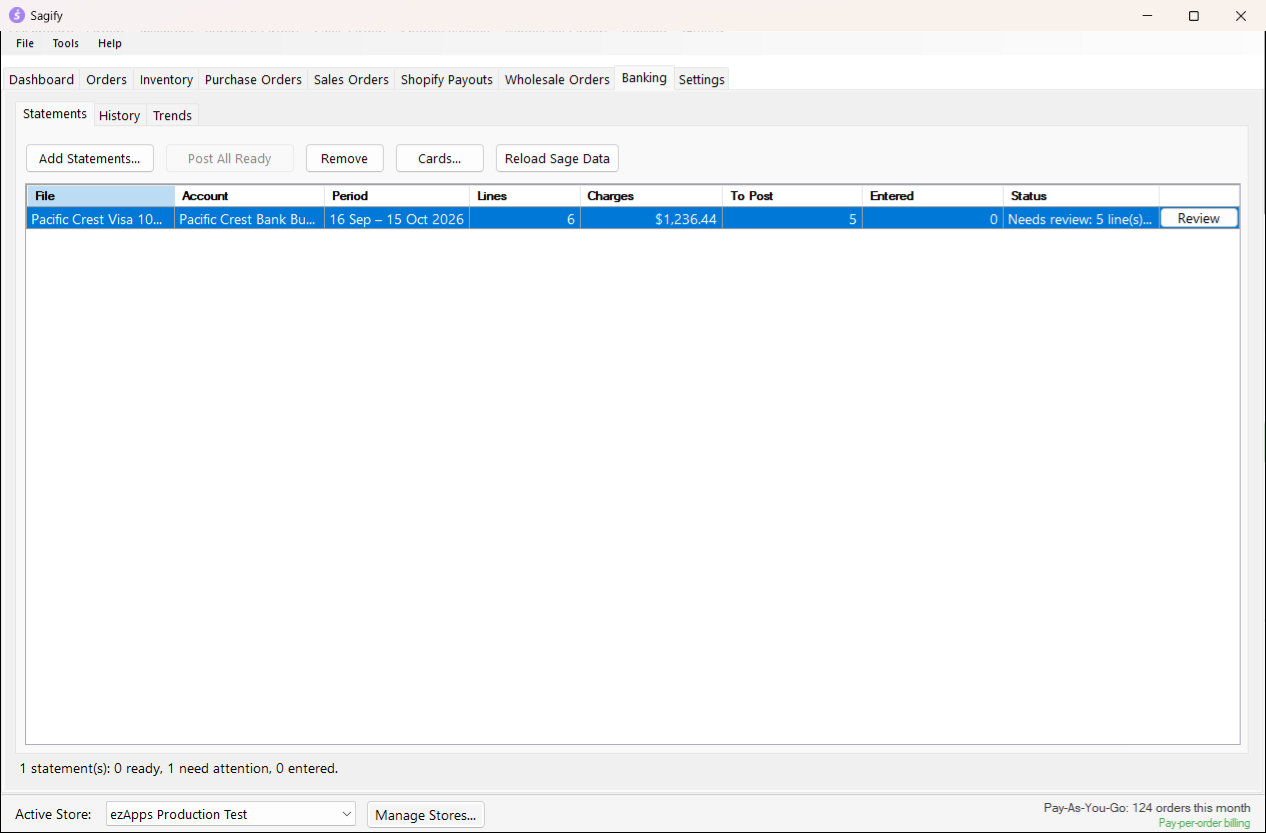
How to Reduce Data Entry in Sage 50: 6 Practical Ways
Six ways to cut manual data entry in Sage 50 US, from features already in the program (memorized transactions, defaults) to automating card statements, customer POs, journal entries and online orders.
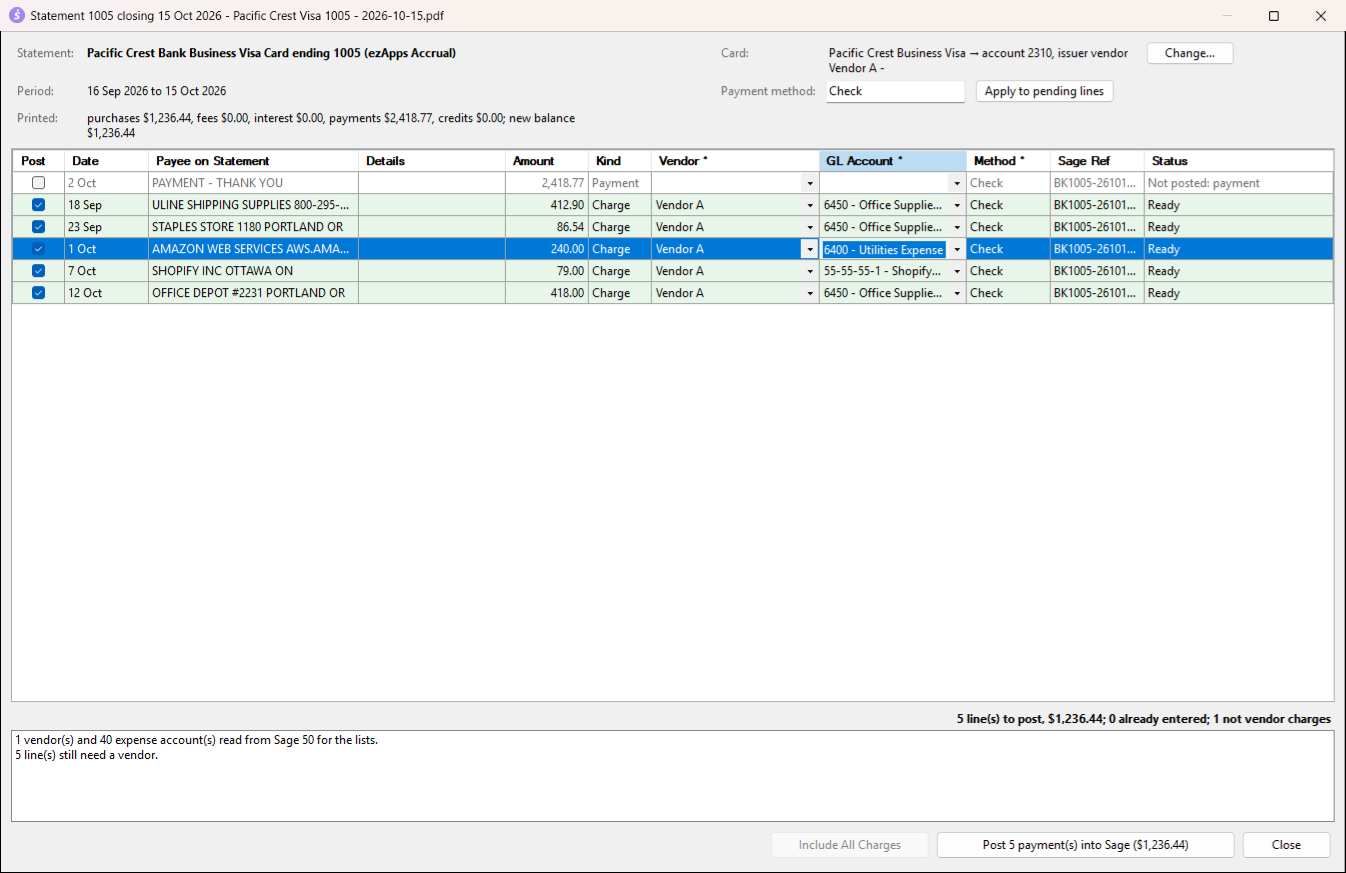
How to Import Credit Card Statements into Sage 50
Two ways to get a credit card statement into Sage 50 US: key each charge as a payment, or post the statement PDF with Sagify. Steps, trade-offs and how to avoid duplicates.
How to Build the Internal Business Case for Accounting Automation
Framework for selling accounting automation to your CFO or owner. Quantify costs, calculate ROI, present the business case with a one-page template.