Shopify Sage 50 Integration Apps for Desktop — An Honest 2026 Buyer's Guide
Comparing Sagify, Storehub, CartSpan, Commercient, and eBridge for Sage 50 desktop. Why most Shopify App Store Sage 50 integration listings actually target Sage Business Cloud — and how to pick a real Sage 50 Shopify connector app.
You're searching for a "Shopify Sage 50 integration app desktop Sage 50" or a "Sage 50 Shopify connector app." You head to the Shopify App Store, type "Sage 50," and you'll see a handful of listings. Most of them are wrong for you.
That's not a bug in your search — it's the structure of the market. Sage sells two very different products that share a name:
- Sage 50 (desktop) — the locally-installed accounting software you actually run, sold as Sage 50 US (formerly Peachtree) and Sage 50 Canadian Edition (formerly Simply Accounting).
- Sage Business Cloud Accounting — a separate cloud-only product that is not Sage 50 desktop, despite the name overlap.
The single most-prominent "Shopify App Store Sage 50 integration" you'll find — the one called "Sage Business Cloud Accounting ↗" — connects to Sage Business Cloud, not your Sage 50 desktop company file. If you install it expecting to sync to your Sage 50 US or Sage 50 CA desktop install, you're going to have a bad afternoon.
This guide walks through the real options for Shopify ↔ Sage 50 desktop, starting with Sagify (our own Shopify Sage 50 connector app, listed on the Sage US Marketplace ↗) and including the most credible competitors — Storehub, CartSpan, Commercient, and eBridge — with honest notes on where each one fits.
In this guide:
- The Shopify App Store trap
- What "Sage 50" actually means
- What to look for in a Sage 50 Shopify connector app
- The shortlist
- A cautionary note on Shopify App Store listings
- Recommendations by Sage 50 edition
- FAQ
The Shopify App Store Trap
When buyers type "Shopify App Store Sage 50 integration" into Google, they're trying to apply the normal Shopify mental model: open the App Store, find an app, install it, done. That model breaks for Sage 50 desktop for three reasons:
- Sage 50 desktop runs on your local machine or on-premise server. A Shopify-only cloud app can't reach into your Sage company file without something running locally. Many App Store listings simply don't.
- The most prominent App Store listing is for the wrong product. "Sage Business Cloud Accounting ↗" sounds like Sage 50 — but Sage Business Cloud is a separate cloud accounting product. The reviews on that listing are a graveyard of merchants who didn't realise.
- Real Sage 50 desktop connectors usually live on the Sage Marketplace, not the Shopify App Store. Sage's official marketplace (US ↗ / CA ↗) is where vetted Sage 50 desktop add-ons are listed.
So: yes, search the Shopify App Store, but treat any "Sage 50 integration" you find there as guilty until proven innocent. Ask one question: "Does this app write into my Sage 50 desktop company file?" If the listing can't answer that with a clear yes, it's the wrong app.
What "Sage 50" Actually Means
Before evaluating connectors, get the product name straight. Sage 50 desktop comes in three regional editions:
- Sage 50 US (Sage 50cloud Accounting / Pro / Premium / Quantum) — the modern name for the product formerly known as Peachtree.
- Sage 50 Canadian Edition — formerly Simply Accounting; a different codebase from the US edition.
- Sage 50 UK / EU — yet another distinct product line, with its own ecosystem.
A Shopify Sage 50 integration app desktop merchants install needs to match the exact edition you run. A "Sage 50 connector" that supports the UK edition won't help a US merchant; a US-only tool will not write into a Canadian company file. Always check edition compatibility on the vendor's site or its Sage Marketplace ↗ listing before paying.
(For the long-form version of how an integration actually creates structured invoices, sales orders, customers, refunds, and payouts inside Sage 50 desktop, see Shopify Sage 50 Integration — How Sagify Simplifies Your Workflow and What is Sage 50 Shopify Integration and How Does It Work?.)
What to Look For in a Sage 50 Shopify Connector App
A real Sage 50 Shopify connector app should hit at least the following:
- Edition fit. Explicit support for your exact Sage 50 edition (US / Canadian / UK).
- Direction. One-way order import is fine for many merchants, but if you also need inventory, prices, products, or customers flowing back from Sage to Shopify, you need a true two-way sync.
- Idempotency and audit trail. Re-running an import shouldn't create duplicates, and every Sage entry should reference the originating Shopify order ID. We unpack why in Why Duplicate Transactions Keep Appearing in Sage 50 and Spreadsheets, Traceability, and Why Your Audit Trail Matters.
- Refund and payout handling. Refunds must post as credit notes against the original invoice; Shopify Payments payouts should reconcile cleanly to the bank deposit. The Shopify Payments payout details ↗ page is your reconciliation source of truth — and if your connector ignores it, see Reconcile Shopify Payouts in Sage 50.
- Custom GL mapping. You will, eventually, need to control which Sage 50 ledger accounts Shopify revenue, fees, taxes, and shipping post to. See Custom GL Mapping in a Sage 50 Integration.
- Real support. Sage 50 + Shopify is a niche; the answer to a complicated question is rarely on a help-center FAQ. You want a vendor who answers a real human inside a business day.
- Pricing transparency. Avoid "request a quote" black boxes for a problem this well-defined.
The full evaluation checklist lives in How to Choose a Shopify Accounting Integration — A Buyer's Checklist.
The Shortlist
Five vendors meaningfully serve the Sage 50 desktop + Shopify market today. Here's the honest breakdown.
1. Sagify
Best for: Merchants on Sage 50 US or Canadian Edition who want a purpose-built Shopify Sage 50 integration app desktop merchants install once and stop thinking about — order import, refunds, payouts, customer sync, and custom GL mapping in one tool.
Sagify is our own product. It's listed on the Sage US Marketplace ↗ and converts Shopify orders into Sage 50 Sales Invoices or Sales Orders, with idempotent re-import, refund-to-credit-note mapping, line-by-line payout reconciliation, and customer matching. Pricing is pay-as-you-go starting at $1.75/month per active connection — no quote calls, no implementation fees.
We're not a generic integration vendor that happens to support Shopify — we're a Shopify-native shop that happens to specialise in Sage 50. ezApps has been building on the Shopify platform for years, including ezInvoices ↗ — our Built for Shopify-recognised one-click invoice app on the Shopify App Store. That history matters because the failure modes of a Shopify ↔ Sage 50 connector aren't generic data-mapping bugs; they're Shopify-specific edge cases — multi-currency payouts, gift-card redemptions, partial refunds across line items, Shopify Plus order tagging, B2B customer accounts, draft orders that become invoices, Shopify Payments fee adjustments, and so on. We've shipped against those before. (More background in How I Grew My Shopify App to 587 Merchants, One Year of Building in Public, and ezInvoices: Built for Shopify.)
Where Sagify shines:
- Desktop-native: writes directly into the Sage 50 company file rather than relaying through a cloud broker
- Same-tool support for both Sage 50 US and Sage 50 Canadian Edition
- Idempotent imports — re-runs never duplicate, which is the single most common failure mode of every alternative (more here)
- Custom GL mapping per product, fee type, tax jurisdiction, and shipping line
- Built by a team with a Shopify pedigree — not a generic ERP-integration vendor learning Shopify on the job
- Real support: email, knowledge base, and phone from the engineers who built it
Where Sagify is not the answer:
- If you're on Sage 50 UK or EU, look at Commercient — Sagify is US/CA only
- If you need an enterprise iPaaS with bespoke EDI flows across many systems, eBridge/Jitterbit will be a closer fit
- If you're on Sage Business Cloud (not Sage 50 desktop), you don't need any of these — use the App Store listing for that product
We cover Sagify's design philosophy and fit in The 3 Sagify Features Every Shopify + Sage 50 User Should Run and the honest fit assessment in Sagify Isn't for Everyone — Here's Who It IS For.
2. Storehub.io — Shopify for Sage 50 (CA)
Best for: Sage 50 Canadian Edition merchants who want bidirectional stock, price, and order sync with managed setup.
Storehub.io ships Shopify for Sage 50 (CA) ↗, listed on the Sage Canada Marketplace. Per their own site, it syncs price, stock, and orders ↗ between Sage 50 CA and Shopify, with same-day setup and Canadian tax handled out of the box. Orders raise into Sage 50 as a Quote, Sales Order, or Invoice (your choice).
Why pick Storehub:
- Strong fit specifically for Sage 50 Canadian Edition
- Two-way inventory sync (Shopify and Sage stay aligned in both directions)
- Managed/same-day setup if you don't want to run the install yourself
- Canadian tax built in
Trade-offs:
- Canadian Edition focus — not the right tool if you're on Sage 50 US
- The marketing emphasises stock/price sync; if your primary need is deep payout reconciliation and audit-grade ledger detail in Sage, evaluate that workflow specifically
3. CartSpan
Best for: Sage 50 US merchants with a more "traditional" desktop-accounting workflow — including merchants selling assembled/manufactured items.
CartSpan ↗ — listed on the Sage US Marketplace — is a long-standing Sage 50 US connector that imports Shopify orders into Sage 50 US and pushes near-real-time inventory availability back to Shopify. Their pitch differentiates on supporting assembled Sage product types (not just basic inventory items) and on dynamic interaction with the Sage 50 company file rather than dumping everything into a single common ledger account.
Why pick CartSpan:
- Mature product specifically for Sage 50 US
- Strong handling of assembled/BOM product types in Sage
- Inventory push-back to Shopify in near-real-time
- Configurability of GL classification
Trade-offs:
- Sage 50 US only — Canadian Edition merchants need a different tool
- Configuration surface area is larger than Sagify's; expect a longer initial setup
- Pricing and packaging are less transparent than self-serve SaaS — get a written quote
4. Commercient SYNC
Best for: Larger or more complex deployments — multi-edition Sage estates (US, CA, UK, EU), or businesses that want a "managed integration vendor" relationship rather than a self-serve app.
Commercient SYNC ↗ is listed on the Sage US Marketplace and publishes separate SYNC products for each Sage 50 edition (US, CA, UK, EU). The integration syncs orders, inventory, and customer data, with both white-glove implementation and platform-only options starting at $99/month.
Why pick Commercient:
- Coverage across every Sage 50 edition (US, CA, UK, EU) plus other Sage products (Intacct, 500, BusinessWorks)
- White-glove guided implementation if you don't want to run a project
- Scalable for businesses planning to grow beyond Sage 50 into Intacct or 500
- Strong fit for environments connecting more than just Shopify and Sage
Trade-offs:
- Higher entry price than self-serve options like Sagify
- "Configurable platform" model means setup time and complexity scale with your requirements
- Best value when you have multiple integrations to manage, not just Shopify ↔ Sage 50
5. eBridge Connections / Jitterbit
Best for: Existing eBridge or Jitterbit customers, Shopify Plus merchants with EDI requirements, or businesses that want an enterprise iPaaS doing multi-system integration.
eBridge is listed on the Sage US (eBridge Connections for Sage 50cloud ↗) and Sage Canada (eBridge Connections for Sage 50cloud ↗) marketplaces. They also publish a Shopify App Store listing ↗ — note this is one of the few App Store entries that genuinely targets Sage 50 desktop, not Sage Business Cloud. eBridge has since been combined with Jitterbit's broader iPaaS offering.
Why pick eBridge / Jitterbit:
- Genuine enterprise integration platform — useful when Shopify ↔ Sage is one of many connections you need
- Supports both Sage 50 US and Sage 50 Canadian Edition
- Strong in EDI / B2B / Shopify Plus environments
- Existing Jitterbit customers can extend their footprint without onboarding a second vendor
Trade-offs:
- Public collateral mentions older Sage 50 versions; verify current edition support before purchasing
- Pricing and onboarding favour larger merchants — a 50-orders-per-month Shopify store will be over-served
- App Store reviews are a useful starting point but are no substitute for a sales-led compatibility check
A Cautionary Note on Shopify App Store Listings
A quick reality check before you click "Add app":
- "Sage Business Cloud Accounting ↗" on the Shopify App Store is for Sage Business Cloud — not Sage 50 desktop. Read the reviews ↗; a recurring complaint is from merchants who installed it expecting Sage 50 compatibility.
- Some Shopify App Store listings are old. Sage 50 desktop versions move forward; an integration that lists "Sage 50 2019" support is a yellow flag. Always confirm the current Sage 50 release is supported.
- Pricing on the App Store is rarely the whole story. Most desktop connectors charge per company file or per order volume; the App Store listing may understate your true cost.
- If you can't find the same vendor on the Sage Marketplace (US ↗ / CA ↗), be skeptical. Sage's marketplace vetting is meaningful for desktop add-ons.
For the specific failure modes that come from buying the wrong tool, see Common Sage 50 Shopify Integration Issues and Why Integrations Break at Month-End.
Recommendations by Sage 50 Edition
A practical shortlist by region and use case:
- Sage 50 Canadian Edition: Sagify or Storehub ↗. Start with whichever is closer in feature emphasis to your top need (Sagify for invoicing/refunds/payouts depth, Storehub for stock/price two-way sync).
- Sage 50 US: Sagify, CartSpan ↗, or Commercient ↗. Sagify if you want self-serve and tight payout reconciliation; CartSpan if you sell assembled products; Commercient if you want managed implementation.
- Sage 50 UK or EU: Commercient's UK and EU SYNC products (search the Sage UK Marketplace for the current listing). Sagify, Storehub, and CartSpan do not currently target these editions.
- Complex enterprise / Shopify Plus / EDI: Commercient or eBridge / Jitterbit.
- Sage Business Cloud (not Sage 50 desktop): Use the Sage Business Cloud Accounting ↗ Shopify App Store listing — but please confirm twice that you really are on Sage Business Cloud and not on Sage 50 desktop.
The single biggest decision before buying any of them is whether you need one-way order import or true two-way sync for inventory, products, customers, taxes, payments, and sales orders. We cover that decision tree in 5 Signs You Need a Sage 50 Shopify Integration and Shopify Sage 50 Integration Features.
Want to skip the comparison spreadsheet? Try Sagify free, or book a 15-minute demo and we'll be honest about whether we're the right Sage 50 Shopify connector app for your workflow — including telling you when one of the alternatives above is a better fit.
Frequently Asked Questions
Is there a Sage 50 integration on the Shopify App Store?
Yes, but read carefully. The most prominent Sage listing — Sage Business Cloud Accounting ↗ — connects to Sage Business Cloud, not Sage 50 desktop. The eBridge listing (Sage 50 Integration by eBridge Connections ↗) does target Sage 50 desktop. Most credible Sage 50 desktop connectors live on the Sage Marketplace (US ↗ / CA ↗) rather than the Shopify App Store.
Can a single Shopify Sage 50 integration app desktop install handle both US and Canadian Edition?
Sagify supports both Sage 50 US and Sage 50 Canadian Edition with the same tool. Commercient publishes separate SYNC products per edition. Storehub focuses on Canadian Edition; CartSpan focuses on US. Always confirm against your specific Sage 50 release version.
What's the difference between Sage 50 and Sage Business Cloud?
Sage 50 is locally-installed desktop accounting software (with optional cloud backup). Sage Business Cloud Accounting is a separate, cloud-only product. They share branding but are different codebases with different APIs and different integrations. A Shopify connector for one will not work for the other.
Why isn't there one obvious Shopify App Store winner like there is for QuickBooks Online?
Because Sage 50 desktop runs on your machine, not in a browser. A pure App Store app can't reach into a desktop company file without something running locally — which is why most real Sage 50 connectors ship as local installers, not pure cloud apps. We unpack the cloud-vs-desktop trade-off in our take on Shopify Sage 50 architecture in What is Sage 50 Shopify Integration and How Does It Work?.
Do these tools sync inventory both ways?
It varies. Storehub and CartSpan emphasise two-way stock sync. Sagify focuses on order/refund/payout/customer flow into Sage 50 with custom GL mapping; inventory direction support is on the feature roadmap. Commercient is configurable in either direction. Match this to your actual reconciliation pain — see How to Sync Sage 50 and Shopify Inventory.
How do I evaluate a vendor I haven't heard of?
Three checks: (1) listed on the official Sage Marketplace (US ↗ / CA ↗) for your edition; (2) clear answer to "does this write into the Sage 50 desktop company file"; (3) the vendor will get on a 15-minute call with a real engineer or implementation lead before you commit. Skip anything that fails check #2.
Related Reading
- Shopify Sage 50 Integration — How Sagify Simplifies Your Workflow — The Sagify deep dive
- What is Sage 50 Shopify Integration and How Does It Work? — How the desktop integration architecture actually works
- How to Choose a Shopify Accounting Integration — A Buyer's Checklist — Generic evaluation checklist
- 5 Signs You Need a Sage 50 Shopify Integration — Buyer-readiness signals
- Common Sage 50 Shopify Integration Issues — Failure modes to ask vendors about
- The 3 Sagify Features Every Shopify + Sage 50 User Should Run — What Sagify focuses on
- Sagify Isn't for Everyone — Here's Who It IS For — Honest fit assessment
- Why Duplicate Transactions Keep Appearing in Sage 50 — The single most common failure mode
- Reconcile Shopify Payouts in Sage 50 — The reconciliation workflow you need to test before buying
- Custom GL Mapping in a Sage 50 Integration — Why ledger flexibility matters
External References
Sage Marketplace listings (the authoritative third-party citations for Sage 50 desktop add-ons):
- Sage US Marketplace — Sagify ↗
- Sage US Marketplace — CartSpan ↗
- Sage US Marketplace — Commercient SYNC ↗
- Sage US Marketplace — eBridge Connections for Sage 50cloud ↗
- Sage Canada Marketplace — Shopify for Sage 50 (CA) by Storehub ↗
- Sage Canada Marketplace — eBridge Connections for Sage 50cloud (CA) ↗
Shopify App Store listings cited in the post:
- ezInvoices — Built for Shopify, by ezApps (Sagify's parent) ↗ — proof of our Shopify-native pedigree
- Sage Business Cloud Accounting (NOT Sage 50 desktop — read with caution) ↗
- Sage 50 Integration by eBridge Connections ↗ — one of the few App Store entries that genuinely targets Sage 50 desktop
Other:
- Shopify — Viewing Shopify Payments payout details ↗
- Shopify — Viewing Shopify Payments payout details ↗
Ready to get started?
Schedule a demo to see how we can help streamline your workflow.
Related articles

Why I built the #1 Shopify Sage 50 App
The story behind Sagify, a Shopify Sage 50 App built out of frustration with generic integrations that didn't understand either Shopify or Sage 50 ecosystems.
Inventory Problems Start Upstream — Not in the Warehouse
Bad data, not bad counting. Why orders don't sync, refunds don't decrement, adjustments don't propagate. Data hygiene before physical reconciliation.
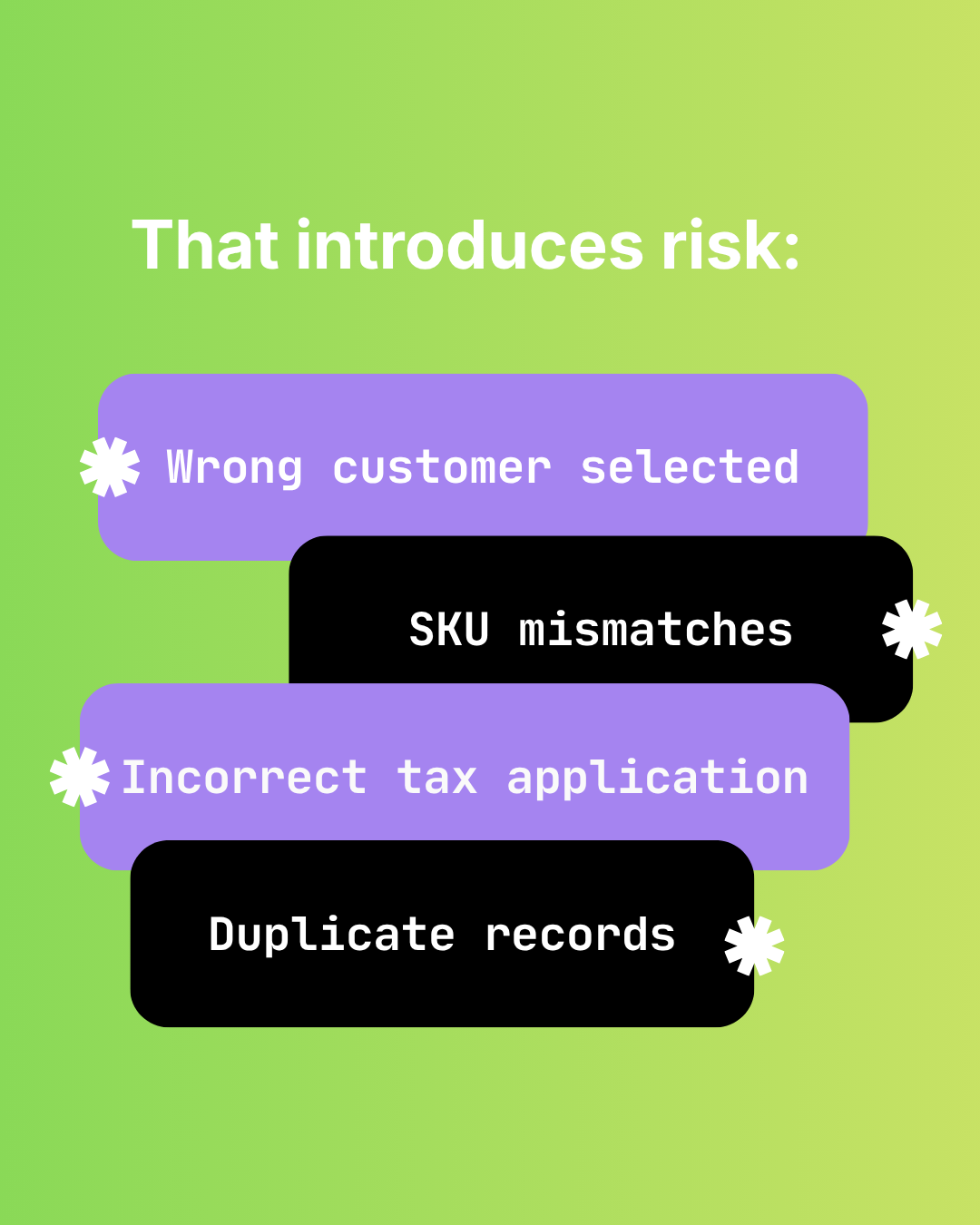
The Hidden Risks of Manual Shopify-to-Sage 50 Data Entry
Audit failure, tax errors, fraud risk, and key-person dependency. The real costs of manual Shopify to Sage 50 data entry beyond time.