
Is Sage Accounting Good for a Small Shopify Store?
An honest look at Sage Accounting (formerly Sage Business Cloud Accounting) for small Shopify stores - the edition you need and where it fits.
If you run a small Shopify store and someone has suggested Sage Accounting, you probably want to know two things: will it cope with an online shop, and what does it take to connect the two. This post answers both, including the cases where it's the wrong choice.
Sage Accounting has had a few names. It started as Sage One, became Sage Business Cloud Accounting, and is now sold simply as Sage Accounting. It's Sage's browser-based accounting software for small businesses, and it's a different product from Sage 50, which is desktop software. This post covers Sage Accounting in the UK, Ireland and Canada.
The short answer: yes, Sage Accounting is a good fit for most small Shopify stores that sell physical products, at anything from a handful to a few hundred orders a month, as long as you pick the edition that matches how you want to track products, and connect Shopify with an app rather than typing orders in. It's a weaker fit for very high volumes of small orders and for complicated inventory.
In this guide:
- Which edition a Shopify store needs
- What a Shopify store needs from its accounting
- Where Sage Accounting fits well
- Where it struggles
- How Shopify connects to Sage Accounting
- How Sagify does it
- FAQ
Which Edition a Shopify Store Needs
Sage Accounting comes in three editions, and for a Shopify store the difference is mostly about products and stock:
| Edition | What it means for a Shopify store |
|---|---|
| Accounting Start | No product catalog and no stock. Orders can still post as invoices, with every line going to a sales account you choose. Enough if you only need sales and tax in your books. |
| Accounting Standard | Adds products and services, so each invoice line can post to its own Sage item and sales account. The usual minimum for a store that wants sales by product. |
| Accounting Plus | Adds stock items, so Sage can hold quantities and costs. Choose this if you want stock in your books and kept in line with Shopify. |
Prices change often and differ by country, and Sage regularly runs introductory offers, so check Sage's own pricing page for yours. Whatever the edition, the subscription is likely to be a smaller cost than the time spent keeping it in step with Shopify, which is where the rest of this post goes.
What a Shopify Store Needs from Its Accounting
Here's what an online shop actually asks of its accounting software, and how Sage Accounting does on each.
Tax. This is Sage Accounting's strongest point in the UK and Ireland: VAT is built in, and UK VAT returns go to HMRC under Making Tax Digital from inside the software. Canadian businesses get GST, HST and PST by province. (Sage retired the US edition of Sage Accounting at the end of 2024, so this post covers the UK, Ireland and Canada.)
Products and stock. On Standard and Plus, products and services give you sales by item. Plus adds stock quantities and costs. Stock is deliberately simple: Sage keeps one quantity per item, while Shopify can spread stock across several locations, so what you compare between the two is the total. That's fine for most small stores.
Invoices and customers. Every Shopify order can become a Sage sales invoice, billed either to the customer who placed it or to one "Shopify sales" contact. Both work. Per-customer contacts matter if you sell to businesses who need proper invoices and statements.
Refunds. Sage handles refunds the way an accountant expects: a credit note against the original invoice, and a partial credit note for a partial refund. Nothing gets deleted or edited.
Bank reconciliation. Sage's bank feeds bring your bank lines in. The catch is Shopify Payments: each deposit is a batch of many orders, minus fees and refunds, so a raw deposit never matches any single invoice. Something has to split each payout into the payments and fees behind it. That's the most time-consuming part of keeping a Shopify store's books, in any accounting software.
Your accountant. Many accountants and bookkeepers already work in Sage, and you can give yours access to your business, which counts for more than any feature list.
Where Sage Accounting Fits Well
- A store selling physical products, from a handful of orders a day up to a few hundred orders a month.
- A UK or Irish business that wants VAT returns filed from the same place the sales are recorded.
- A store with some business customers who need proper invoices, credit notes and statements.
- An owner who wants their accountant to see the same books they do, without installing anything.
- A store moving off spreadsheets that wants something proper but not heavy.
Where It Struggles
- Thousands of small orders a month. One invoice per order gives you the most detail, but at that volume you may not want it. Posting one summary per payout or per day keeps the books lighter, at the cost of order-level detail.
- Complicated inventory. Manufacturing, kits assembled from components, batch or serial tracking, or warehouses that need their own stock figures call for an inventory system alongside, or for bigger accounting software.
- If you'd rather keep your books on your own computer. That's what Sage 50 is for, and it's a different decision. Our post on Sage 50 versus QuickBooks Online for Shopify covers the desktop side.
None of these rules Sage Accounting out for a small store. They're the points where you'll feel its limits first.
How Shopify Connects to Sage Accounting
Sage Accounting doesn't come with a Shopify connector of its own: the link is an app, from the Shopify App Store or Sage's marketplace. The apps take one of two approaches, and choosing between them matters more than choosing between apps.
One invoice per order. Each Shopify order becomes a Sage invoice with its customer, products and tax; refunds become credit notes; payouts are recorded as payments against those invoices. You can find any order in Sage, see sales by product and customer, and keep stock in step. This suits most small stores and anyone selling to businesses.
One summary per payout or per day. The sales in each Shopify payout post as a summary, with fees and refunds broken out. Far fewer documents, and the bank deposit matches by construction, but individual orders and customers aren't in Sage. This suits high-volume, low-value stores where no one ever looks up a single order in the accounts.
Either way, check three things before you choose: that totals match Shopify to the cent (tax, shipping and discounts included), that an order can't be posted twice, and that when something's missing, such as a customer, a tax rate or a product, the order waits for you rather than posting with the wrong figures.
How Sagify Does It
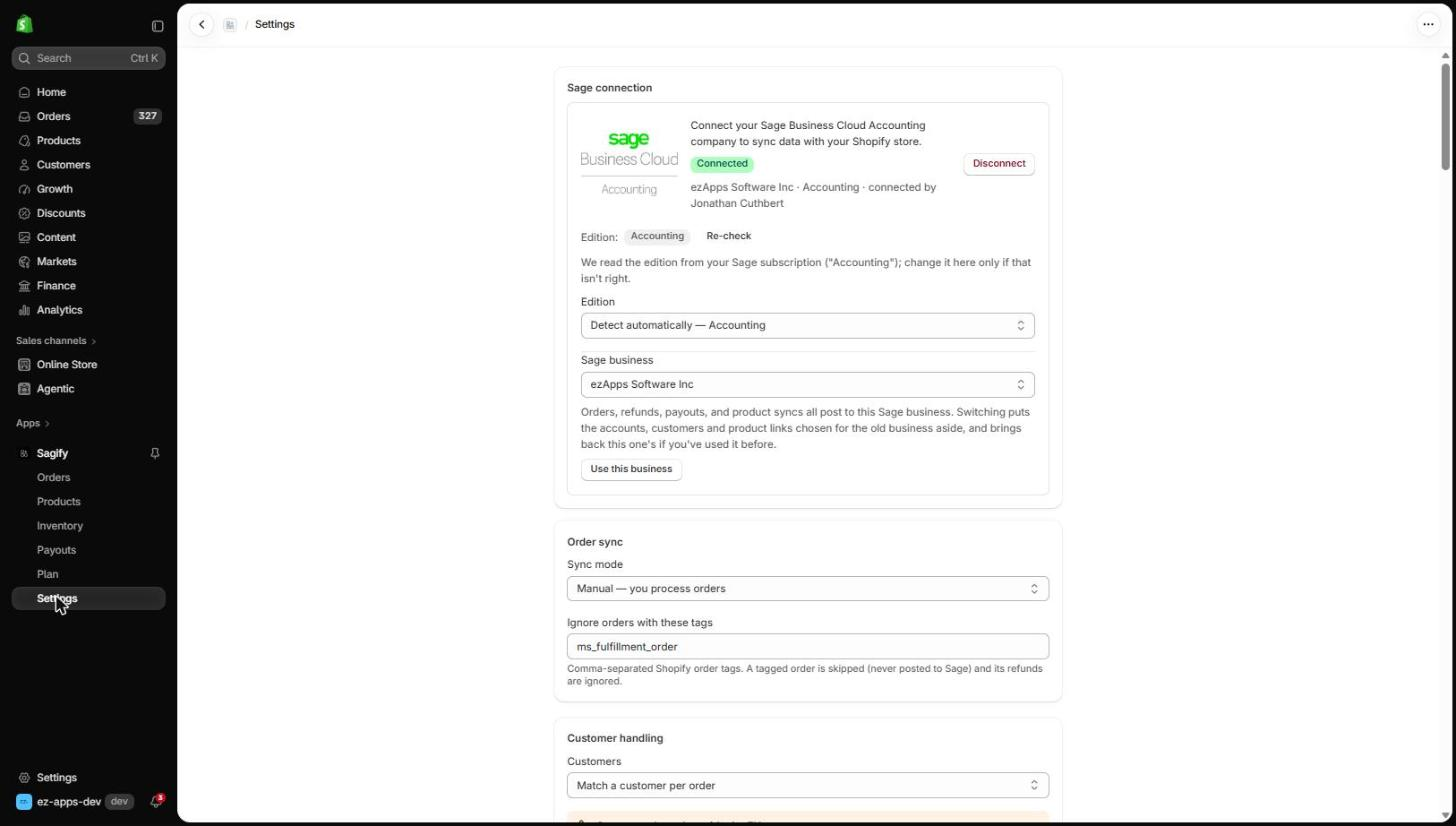
Sagify for Sage Accounting is an embedded Shopify app: it runs inside your Shopify admin, so there's nothing to install on your computer. It takes the one-invoice-per-order approach:
- Orders become Sage sales invoices, one at a time, in bulk, by date range, or (on paid plans) automatically as they're paid. Each carries the Shopify order number as its reference, one line per product with the VAT or sales tax Shopify charged, and a total equal to what the customer paid.
- All three editions. On Start, invoices post as ledger lines to the sales account you choose. On Standard, each line posts to its own Sage item. On Plus, stock reconciliation between Shopify and Sage is available too.
- Tax by region: VAT in the UK and Ireland (including tax-inclusive prices and EU sales) and GST, HST and PST in Canada.
- Refunds become credit notes on the original invoice, partial ones included. You choose what a cancellation does: credit the invoice, void it, or leave it alone.
- Nothing half-posted. An order with a missing customer, tax rate, product or account waits on the Orders page with the reason, and you fix it in one form. Orders are never posted twice.
- Payouts (Pro plan) post as customer receipts against the invoices they paid, with Shopify's fees as an expense if you want them, so the deposit matches the bank.
- Shopify POS sales post alongside online orders, with POS payments recorded to the cash or bank account you choose.

There's a free plan with 30 documents a month and manual sync. Paid plans are Starter ($29 a month, 150 documents), Growth ($59, 250 documents, adds product sync and stock reconciliation) and Pro ($99, 500 documents, adds payout reconciliation), billed through Shopify. A document is one invoice or one credit note.
If you're new to it, the help centre walks through setup screen by screen: Get started with Sagify for Sage Accounting.
Frequently Asked Questions
Is Sage Business Cloud Accounting the same as Sage Accounting?
Yes. Sage Business Cloud Accounting is the earlier name of Sage Accounting, and before that it was Sage One. Same product, same logins.
Which Sage Accounting edition does a Shopify store need?
Standard for most stores, because it gives you products and sales by item. Plus if you want stock quantities in Sage and kept in line with Shopify. Start if you only need sales and tax recorded.
Is Sage Accounting the same as Sage 50?
No. Sage 50 is desktop software, and the US, Canadian and UK versions of Sage 50 are different programs. Sage Accounting runs in the browser. If you're on Sage 50 in the US or Canada, see Sagify for Sage 50.
Can Sage Accounting handle Shopify POS sales?
Yes, when your connector posts them. Sagify posts POS and online orders the same way, and records POS payments to a cash or bank account you choose. Sage doesn't need to know the sale happened in a shop.
Do I need my accountant's help to set it up?
Not to connect it, but it's worth asking them which accounts sales, delivery, discounts and fees should post to before your first sync. Those choices shape every invoice that follows.
Related Reading
- Get started with Sagify for Sage Accounting - Install, connect and post your first invoice
- Refunds and cancellations in Sage Accounting - Credit notes, partial refunds and cancelled orders
- Reconcile Shopify payouts in Sage Accounting - Turning each payout into receipts and a fee
- How to Choose a Shopify Accounting Integration - A checklist for comparing apps
Ready to get started?
Schedule a demo to see how we can help streamline your workflow.
Read next
- Shopify Sage Accounting integrationSagify for Sage Accounting — the embedded Shopify app, free plan included.
- Sage + Shopify integrationsWhich Sagify fits your Sage: Sage 50 US, Sage 50 Canada or Sage Accounting.
Related articles
Sage One, Sage Business Cloud or Sage Accounting: Which Do I Have?
Sage One, Sage Business Cloud Accounting and Sage Accounting are three names for one browser-based product. How to tell it from Sage 50 and Sage 50cloud in a minute, and why it decides how you connect Shopify.

Is Sage 50 Good for Your Shopify Business?
Discover if Sage 50 is right for your Shopify store. Learn how proper integration saves 15-20 hours weekly and reduces errors by 90%. Complete guide with ROI calculations.
Shopify to Sage 50 in the UK: Why the Connectors Differ
Sage 50 Accounts (UK and Ireland) is a different program from Sage 50 US and Canada, with its own SDK, tax model and connectors. What a UK connector has to do, who makes one, and why Sagify doesn't.