Refunds and cancellations
How a Shopify refund becomes a Sage credit note on the original invoice, what happens when an order is cancelled, and how to undo a credit note.
A refund in Shopify becomes a sales credit note in Sage, posted against the order's invoice. A partial refund is a partial credit note. In Automatic mode this happens on its own when the refund is created; in Manual mode you post it from the order's detail page.
Post a refund as a credit note
- Refund the order in Shopify as usual.
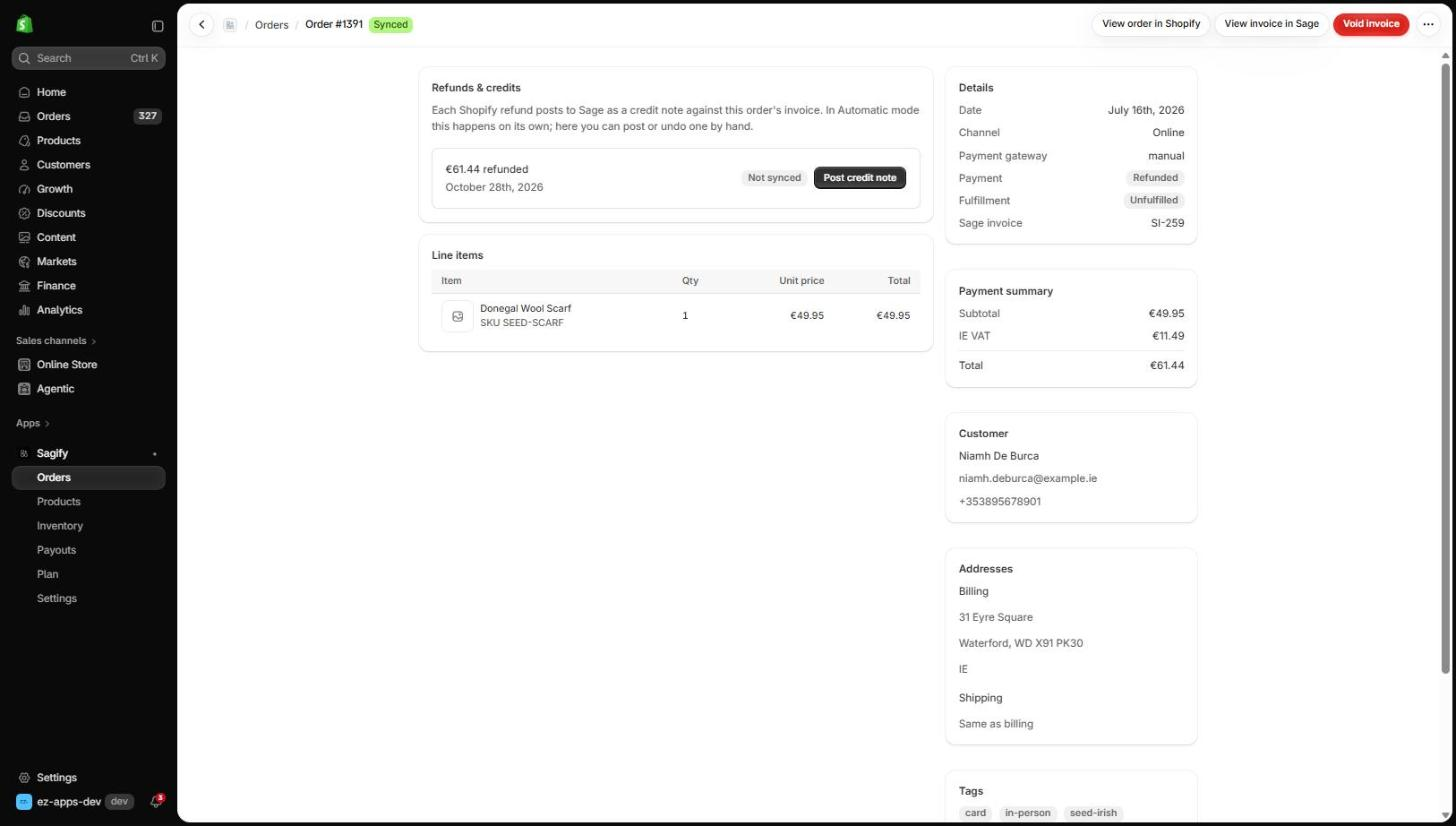
- In Sagify, open the order. A Refunds & credits section lists each refund with its amount and date.
- Click Post credit note.
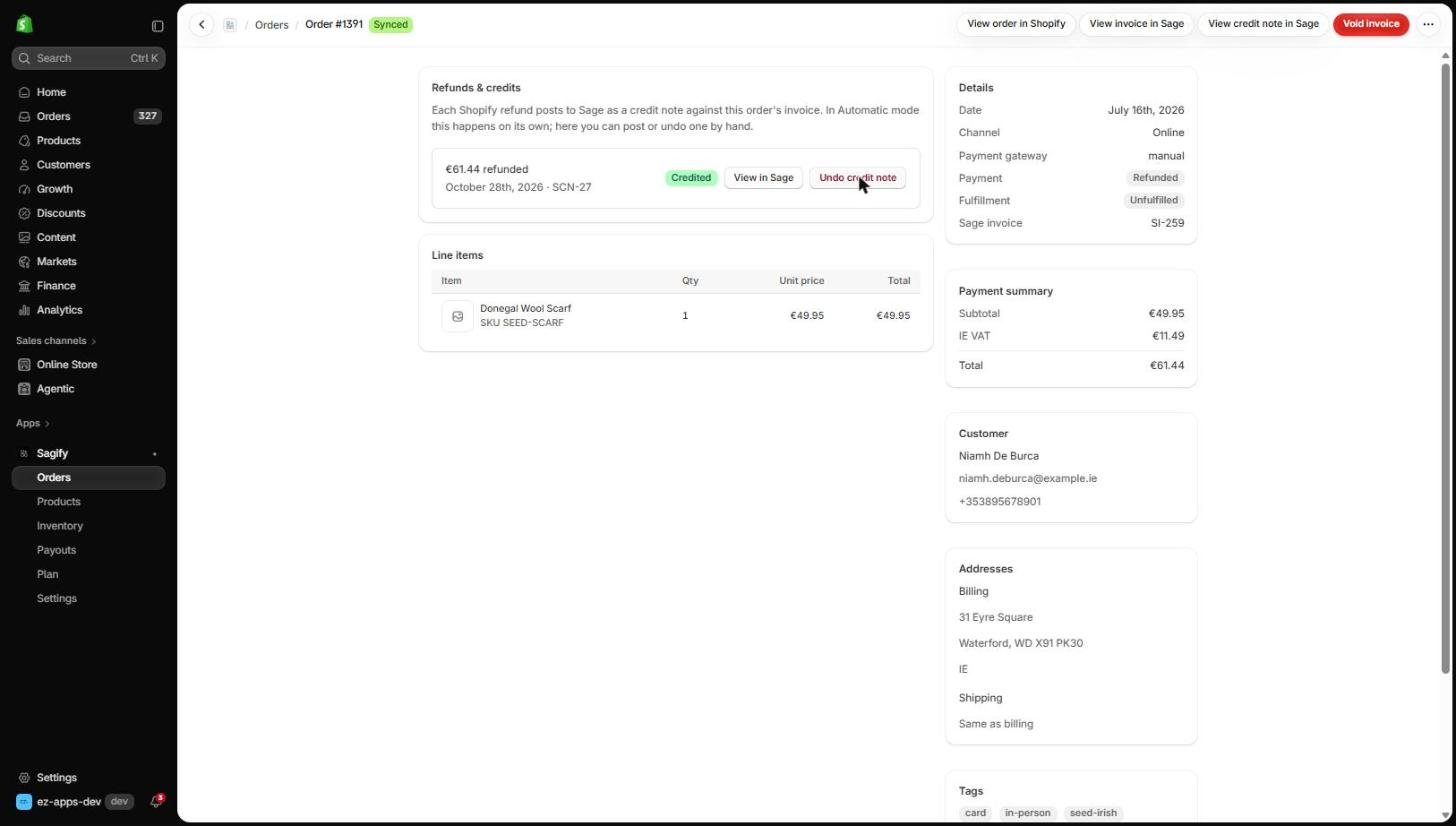
A few seconds later the refund shows Credited with the credit note number, View in Sage and Undo credit note.
The credit note in Sage
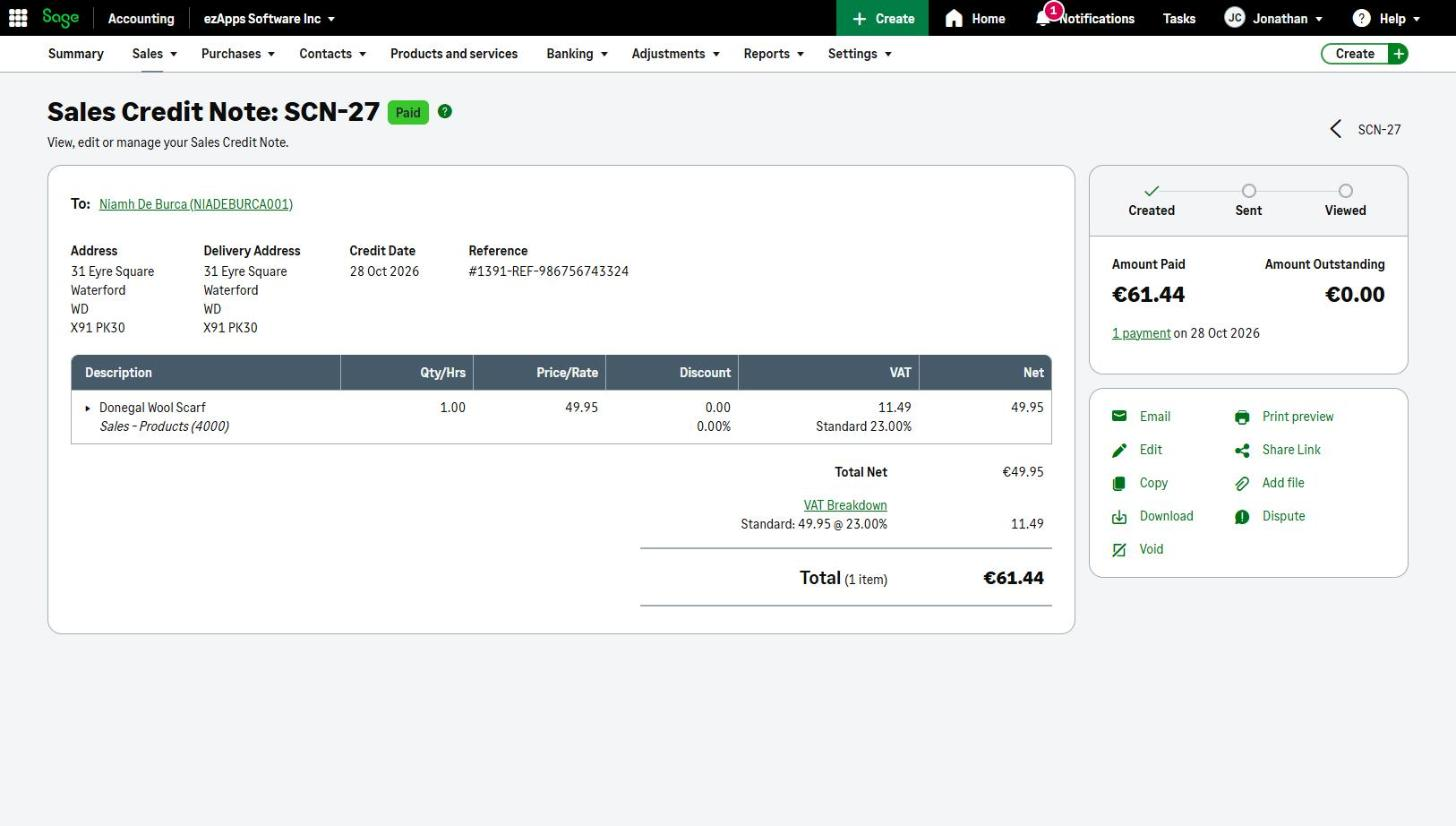
- The credit note carries the refunded lines with the VAT Shopify refunded, posting to the same accounts as the invoice. A refunded delivery charge is credited too.
- It is allocated to the invoice when the invoice is still unpaid, so both show as paid off against each other. When a Shopify payout has already paid the invoice, the credit note stays unapplied and the next payout run pays it out as a customer refund from the payout bank account.
- A restocking fee or rounding discrepancy on the refund (a Shopify order adjustment) posts to the refund adjustment account from Settings. Without one, the refund is held until you choose it.
Note
A refund can only be posted once its order's invoice is in Sage. A refund on an order that was never synced waits until you process the order.
Cancellations
How a whole-order cancellation is treated is a setting (Settings → Refunds & cancellations → When an order is cancelled):
- Post a credit note keeps the original invoice and credits it in full.
- Void the invoice removes the invoice as if it had never been posted — only possible while it is unpaid; once a payout has paid it, a credit note is posted instead.
- Do nothing leaves the invoice alone. Choose this for apps that cancel paid orders as part of their own workflow (gifting apps that cancel the original and re-create it per recipient, for example); a refund is still credited whenever one is issued.
Undo a credit note
Undo credit note voids the credit note in Sage and puts the refund back to Not synced. A credit note that a payout has already paid out cannot be undone until that payout is undone.