Reconcile stock between Shopify and Sage
Compare Sage stock with your Shopify locations, push a correction either way and keep the two in step after restocks and stocktakes.
Sales already move stock: every invoice Sagify posts reduces the Sage stock item. The Inventory page is for everything else that makes the two drift apart — restocks, stocktakes, manual edits, returns — so you can see the gap and close it in either direction. It needs Sage Accounting Plus (the only edition with stock items) and the Growth plan or up.
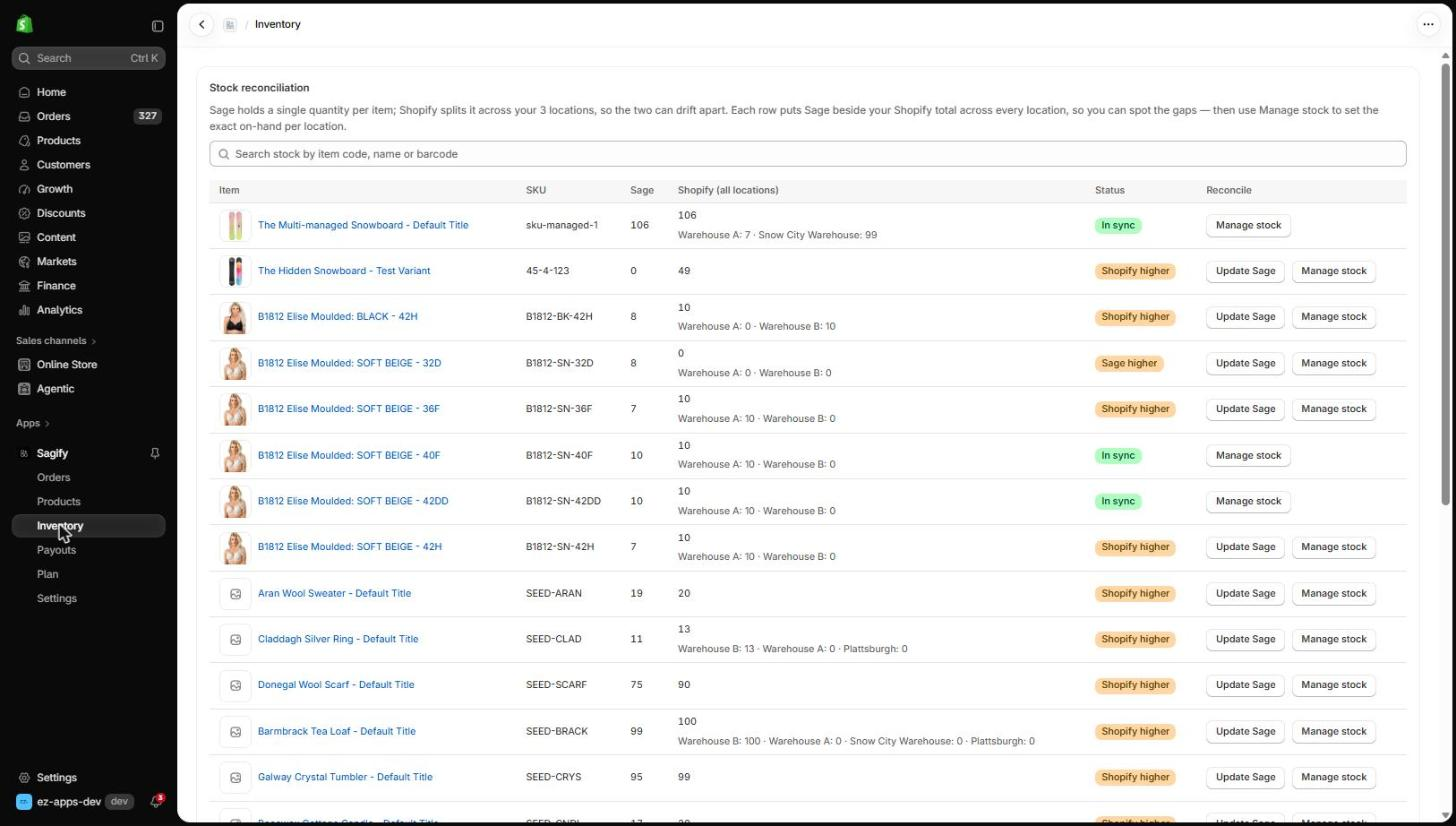
How the comparison works
Sage holds one quantity per item; Shopify splits stock across your locations. Sagify compares the Sage quantity with the Shopify total across all locations and labels each row:
| Status | Meaning |
|---|---|
| In sync | Sage and the Shopify total agree. |
| Shopify higher | Shopify has more than Sage — a restock recorded in Shopify but not in Sage, for example. |
| Sage higher | Sage has more than Shopify. |
| Sage only | The Sage stock item is not linked to a Shopify variant. |
| Shopify only | The variant tracks inventory in Shopify but its Sage item is not a stock item. |
| Untracked | Shopify does not track inventory for the variant. |
Search by item code, name or barcode to find a row.
Push a correction
- Update Sage sets the Sage quantity to the Shopify total, as a stock movement dated today. Use it when Shopify is right.
- Manage stock opens the item's page, where you can set the Sage quantity directly, or set the on-hand quantity on each Shopify location when Sage is right.
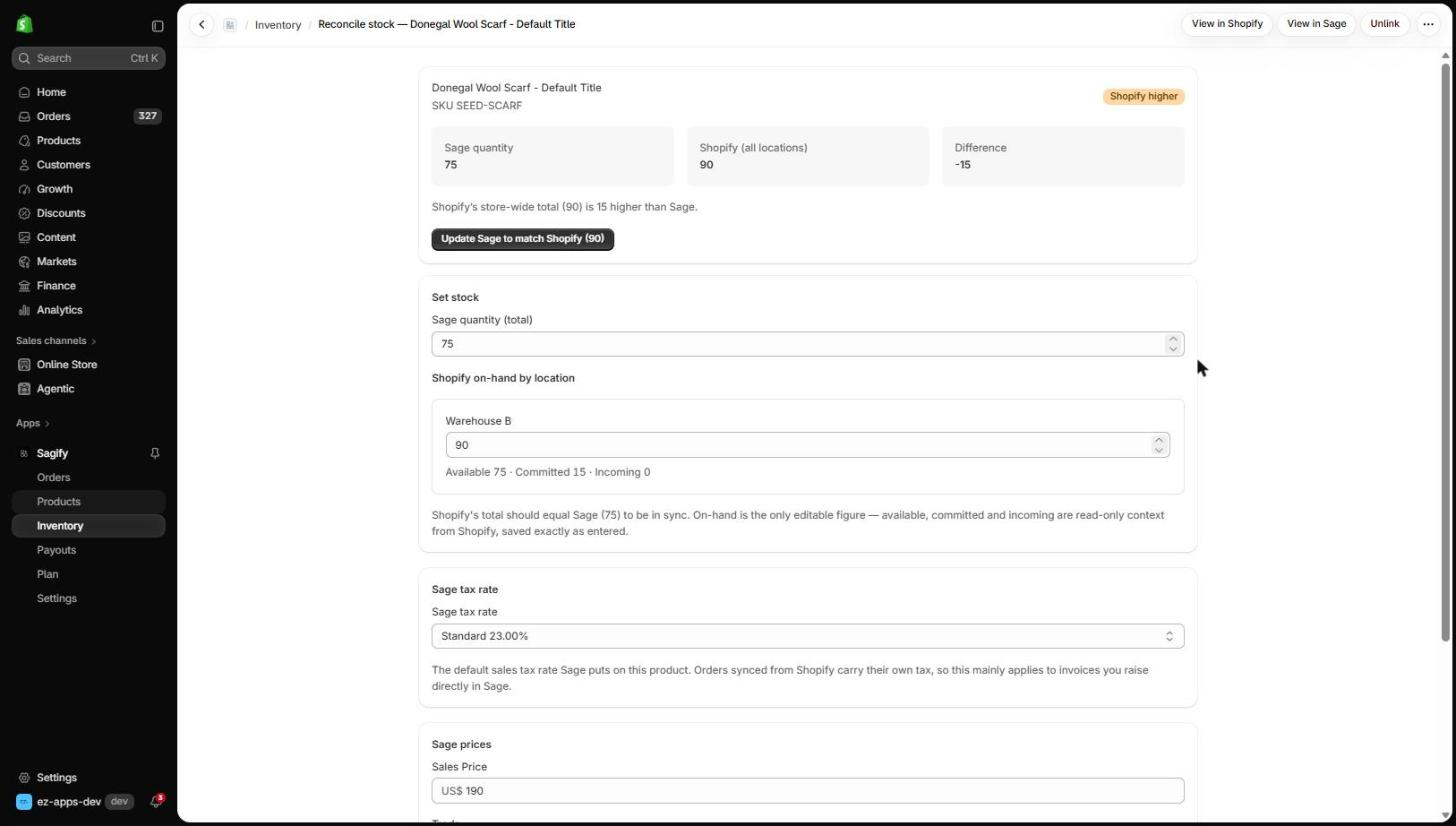
Shopify's on-hand is the only editable figure per location — available, committed and incoming are shown for context. Sagify saves exactly what you enter.
Tip
Committed stock is the usual reason a healthy store shows Shopify higher: orders that are paid but not yet fulfilled still count as on hand in Shopify, while Sage already took them out when the invoice posted. The difference closes as the orders ship.
What the Inventory page does not do
It does not post sales — the invoice does that — and it does not run on a timer. It is a reconciliation you run when you want to check, typically after a stocktake or a delivery. Nothing is written to either system until you click Update Sage or save a quantity on the item page.