Reconcile Shopify payouts
Turn each Shopify Payments payout into customer receipts and a fee in Sage, so the bank deposit reconciles to the cent.
Invoices post unpaid. A Shopify Payments payout is what actually pays them: one bank deposit that covers many orders, less Shopify's fees, less any refunds. The Payouts page turns each payout into the Sage entries that explain that deposit — so your Sage bank account reconciles to the cent. Payout reconciliation is on the Pro plan.
What a payout contains
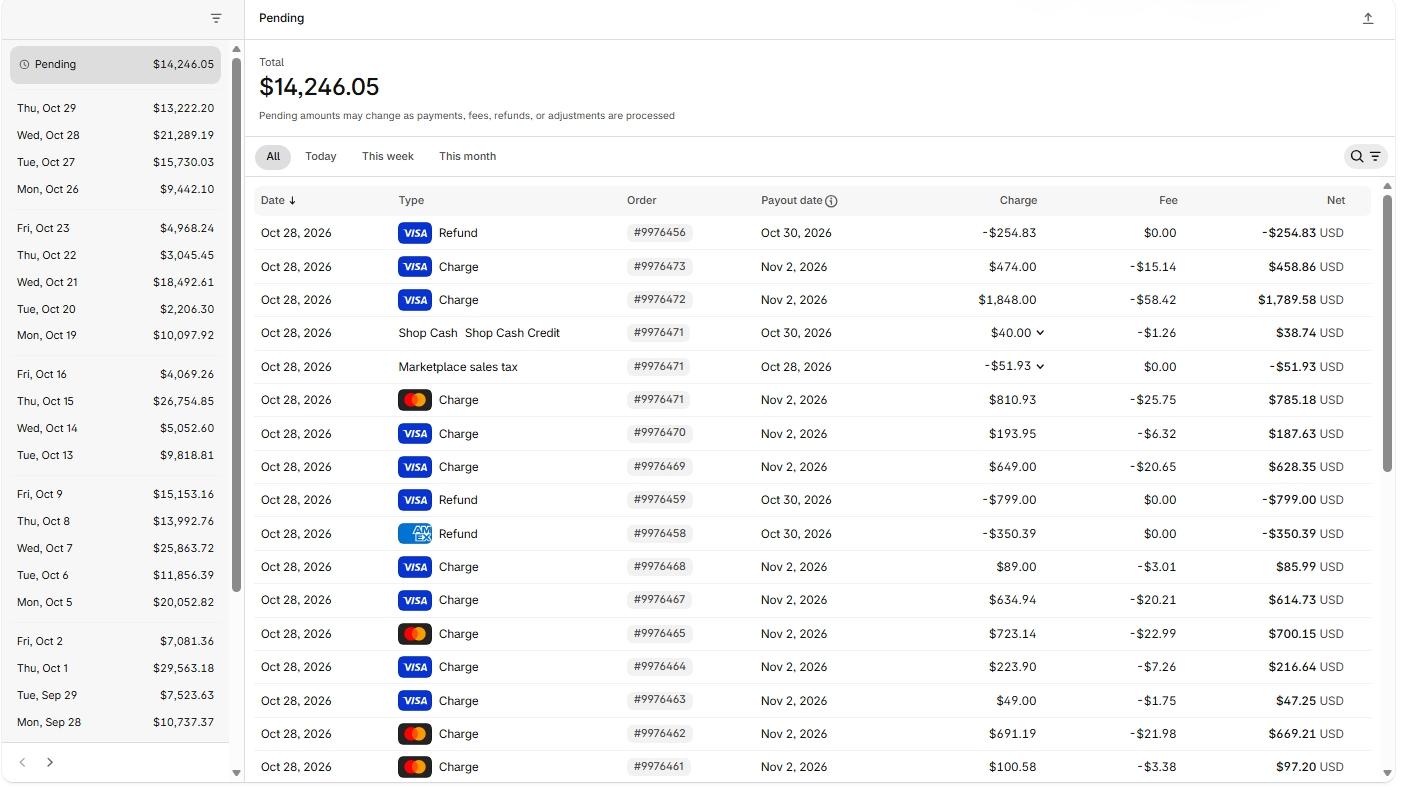
Open Finance → Payouts in Shopify admin and you see what Sagify works from: every charge and refund settling in that payout, each with its order number, Shopify's fee on it, and the net that lands in your bank.
Before you start
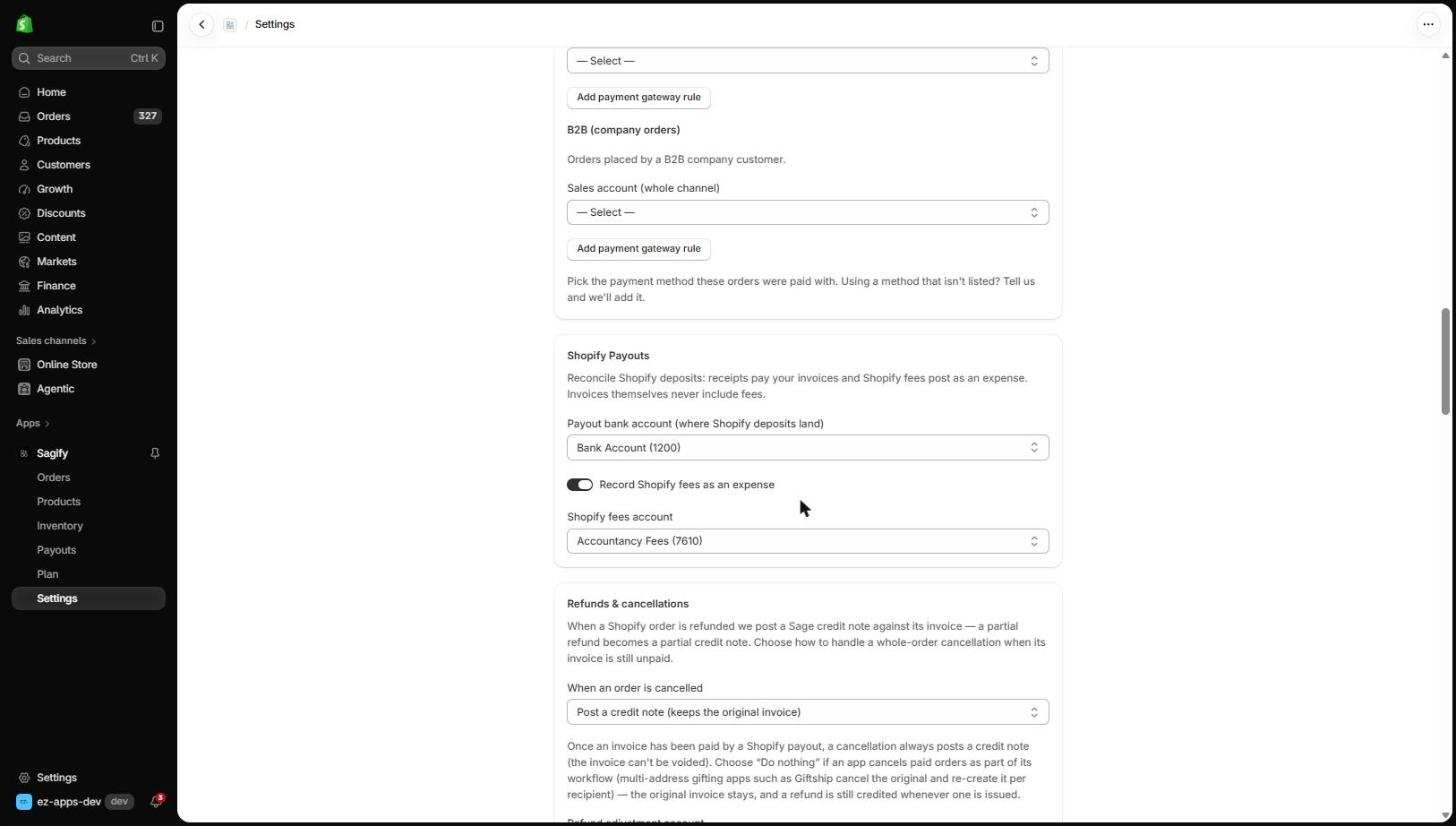
In Settings → Shopify Payouts, choose the payout bank account (the Sage bank account Shopify deposits land in). If you want Shopify's fees in your books, turn on Record Shopify fees as an expense and pick the fees account.
Process a payout
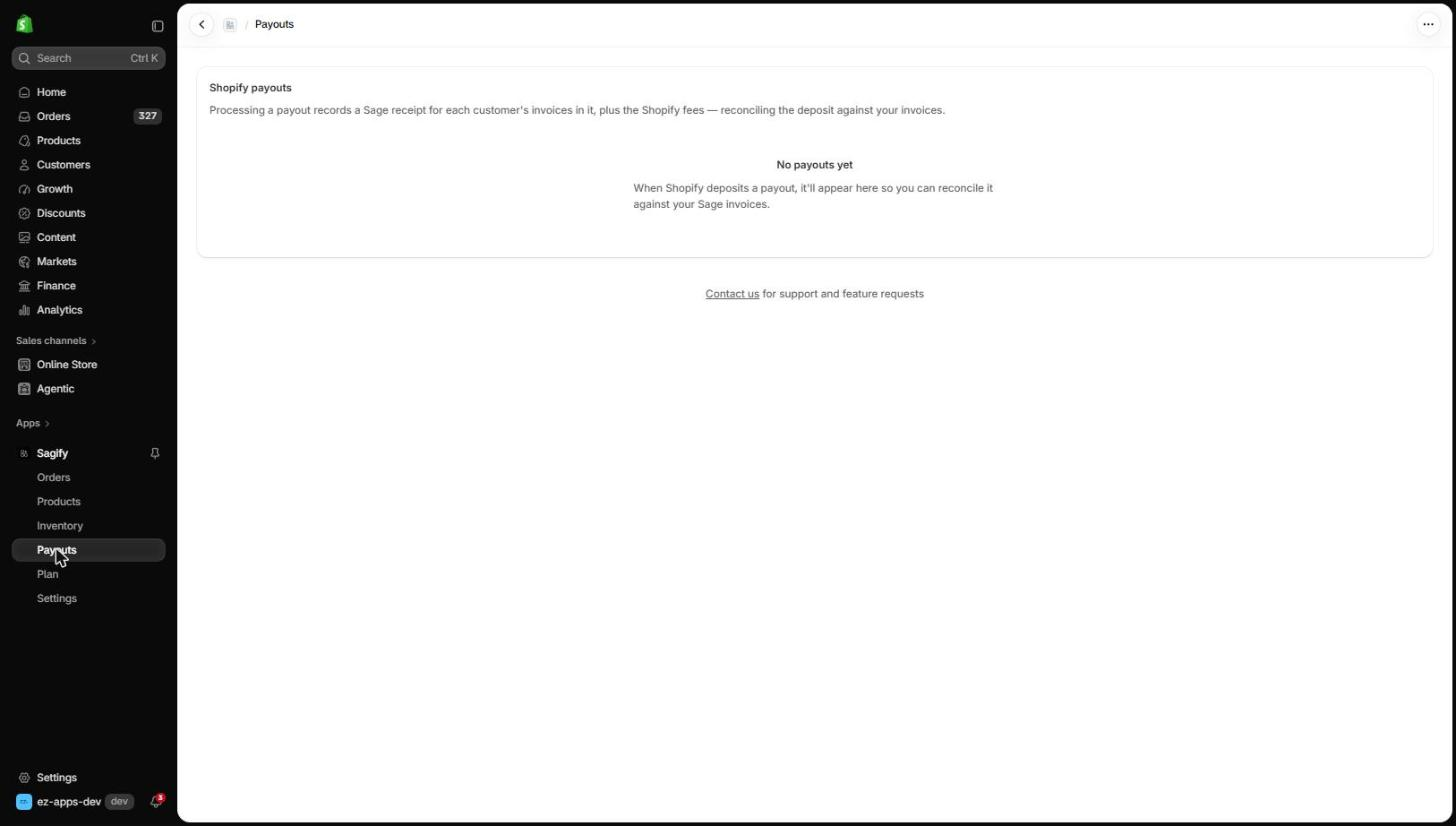
Sagify's Payouts page lists the same payouts, newest first, with the net amount, the fees and the sync status. Click Process on a payout. For every invoice in it, Sagify posts:
- a customer receipt on the payout bank account, dated the payout date, allocated to that customer's invoices — one receipt per customer, with the payout reference;
- one Shopify fees payment for the whole payout, when fees are on;
- a customer refund from the bank account for any credit note in the payout that is still unapplied, so the bank movement matches.
Receipts are clamped to each invoice's outstanding balance, so a payout can never overpay. If a run is interrupted, Retry picks up where it stopped without posting anything twice.
Reconcile in Sage
A payout hits your bank statement as one net deposit; in Sage it is several receipts plus a fee that add up to it. Open Banking in Sage, reconcile the account, and tick those lines against the statement line — the difference comes to zero. Sagify posts the entries; the bank reconciliation itself stays yours, as the final control point.
Note
With Settings → Customers set to Single customer, each payout is one receipt — the cleanest bank match. Match a customer per order keeps per-customer receivables and posts one receipt per customer instead.
Refunds in a payout
A refund whose credit note is already in Sage is matched automatically; the payout detail names it. A refund with no credit note yet holds the payout at Partial until you post the credit note (see Refunds and cancellations), then Retry.
Undo a payout
Undo deletes the receipts, the fee and any refund cash Sagify posted for that payout and puts it back to Not synced. Use it if you processed a payout against the wrong bank account.