Posting Shopify POS and Amazon Sales into Sage 50 as Journal Entries
When one journal entry per day or per settlement beats one invoice per sale, what the entry looks like, and how to post Shopify POS, online and Amazon sales to Sage 50 that way.
Not every sale needs its own document in Sage 50. A till that rings up two hundred sales a day, or an Amazon settlement that covers two weeks of orders, is better recorded as one balanced journal entry than as two hundred invoices to two hundred strangers. This post explains when a summary beats an invoice per sale, what the entry contains, and how Sagify US posts Shopify point-of-sale, Shopify online and Amazon or eBay sales into Sage 50 that way.
The short answer: post a journal entry when you don't need the customer, the item or the receivable in Sage 50 for each sale, which is the case for most point-of-sale and marketplace sales. Post an invoice per order when you do, which is the case for most online orders and all wholesale orders. The two approaches can run side by side in the same Sage 50 company.
At a glance:
- A journal entry records a day (or a settlement) in one balanced entry: cash and card in, sales and tax out, refunds and fees on their own lines.
- It does not touch Sage 50 customers, inventory items or accounts receivable. That is the trade-off.
- Sagify US posts Shopify POS as one entry per register per day, online orders as one entry per day, and refunds as one entry per day, each with a searchable reference.
- An Amazon or eBay settlement report is read and turned into a proposed entry you review before saving.
- Shopify Payments payouts can be posted as one journal entry per payout, so the bank deposit matches.
In this post:
- Invoice per sale or journal entry per day?
- What a day of POS sales looks like as a journal entry
- Setting it up for Shopify POS and online orders
- Reconciling the entries to the bank
- Amazon and eBay settlements as journal entries
- Running channels side by side
- Sagify Canada: the daily summary invoice
- FAQ
Invoice per Sale or Journal Entry per Day?
An invoice per order gives Sage 50 everything: the customer, each item sold (so inventory quantities and cost of goods move), the tax, and a receivable that is paid off by a receipt. That's right for online orders you might need to look up, and for wholesale orders that age on an account.
A journal entry gives Sage 50 the money and nothing else: how much came in, by what method, how much was sales, how much was tax, how much went back out as refunds. It's right when:
- Nobody will look up a single sale in Sage 50. A walk-in customer paying by card doesn't need a customer record or a receivable.
- Volume is high and values are low. Hundreds of invoices a day slow Sage 50 down and bury the documents you do care about.
- The channel already keeps the detail. Shopify keeps every POS sale with its items and register; Amazon keeps every order and fee. Sage 50 only needs the totals, and a reference that says which day or settlement they came from.
- Inventory is tracked somewhere else, or you're happy to adjust Sage 50 stock periodically rather than per sale.
The things you give up are the things a journal entry doesn't carry: no per-customer history, no per-item sales or stock movement in Sage 50, no receivable. If you need any of those for a channel, post that channel as invoices.
What a Day of POS Sales Looks Like as a Journal Entry
One register, one day. The entry balances: everything that came in on the left, everything it was for on the right.
| Account | Debit | Credit |
|---|---|---|
| Cash on hand (cash sales) | 412.50 | |
| Credit card clearing (card sales) | 2,187.30 | |
| Sales | 2,436.85 | |
| Sales tax payable | 162.95 |
Refunds given that day are a second entry that runs the other way: debit sales and tax, credit the cash or card account. Shopify's card processing fees can be added as a pair of lines (fees expense against the card clearing account), or left for the payout entry below.
In Sage 50 the entry carries a reference you can search for: MM/dd/yy Register {name} for a point-of-sale day, MM/dd/yy SHOPIFY ONLINE for online orders posted the same way, and MM/dd/yy SHOPIFY REFUNDS for the day's refunds. A bookkeeper checking October 14 finds all three in the general journal in seconds.
Setting It Up for Shopify POS and Online Orders
Sagify US runs on the Windows computer where Sage 50 is installed and posts the entries through Sage 50's own interface, so the accounts, dates and references land exactly as if they had been typed. Two steps:
1. Choose the accounts under Settings → Payments → General Journal Entry.

- Point of sale: first the Entry type, one journal entry per register per day or one sales invoice per order. Then the cash and credit card accounts (debit), sales and taxes (credit), refund sales and refund taxes (debit), and optionally Shopify's transaction fees on their own debit and credit accounts.
- Shopify online orders: the same set for orders placed on the website, with a PayPal account next to the credit card account. Leave this section alone if online orders post as invoices.
The accounts are checked when a run starts, not when you save, so a missing one stops the run with a list of what to fill in rather than posting an unbalanced entry.
2. Run it from the Dashboard: choose General Journal Entry under Processing Mode, set the start and end dates, and click Process POS data.

Sagify confirms you have a Sage 50 backup, reads the orders in the range, and posts one entry per register per day for POS, one per day for online orders, and one per day for refunds. The summary at the end says how many entries were created and how many were skipped because they already existed, so running the same week twice does not double anything. An entry Sagify cannot balance (a rounding difference, a payment method it doesn't recognise) is opened in the journal entry window for you to correct by hand instead of being forced through.
The full set of options is in the help centre: General journal entries.
Reconciling the Entries to the Bank
A journal entry per day records sales as they happen. The bank sees something different: a Shopify Payments payout every day or two, net of fees, covering POS card sales and online card sales together. The clearing account bridges the gap.
- Each day's entry debits the credit card clearing account with the gross card sales.
- Each payout is posted as its own journal entry under Settings → Payments → Shopify Payouts, method General Journal Entry: debit the bank for the net deposit, debit fees expense, and credit the clearing account (or sales and tax, if you don't post the daily entries) for the gross. The reference is
SHOPIFY-{date}. - When every payout is in, the clearing account returns to zero and the bank account matches the statement.
Cash sales are simpler: the daily entry debits cash on hand, and the bank deposit of the drawer is a transfer from cash on hand to the bank. The reconciliation post covers the payout side in detail: How to reconcile Shopify payouts in Sage 50.
Amazon and eBay Settlements as Journal Entries
Amazon doesn't send you money per order. It sends a settlement every two weeks: product sales, shipping charged, promotional rebates, referral fees, FBA fees, advertising, refunds, and the net amount deposited. The right record in Sage 50 is one entry per settlement, with a line per category.
Typing that entry means reading a long report and adding up columns. Sagify US reads the report for you. Tools → Create General Journal Entry opens a journal entry window with a Document Type of Amazon (the transaction CSV export), eBay (the financial summary PDF) or Generic (any CSV or PDF):

- Set the Date (the settlement date) and a Reference (the settlement ID is a good one).
- Choose the Document Type and click Upload File. Sagify sends the report, with your chart of accounts, to ezApps' AI service, which reads the totals and maps each one to an account. The report is read over an encrypted connection and nothing from it is stored.
- Review the proposed lines. Each GL Account, Description, Debit and Credit can be changed, lines can be added, and the Out of Balance figure updates as you type. If the service had to add a balancing line, it says so; check that line against the report before you trust it.
- Click Save. The entry is written to Sage 50's general journal.
A typical Amazon settlement comes out as product sales and shipping income on the credit side; referral fees, FBA fees, advertising and refunds as debits; and the net deposit debited to the bank or to an Amazon receivable account that is cleared when the money lands. The image at the top of this post shows one read from a real settlement export.
The window works without a file too, so a settlement from a marketplace Sagify doesn't read can still be typed in and saved with the same balance check.
Running Channels Side by Side
Most stores that reach this post sell through more than one channel, and the channels don't all want the same treatment. A workable split for a store on Sage 50 US:
| Channel | Posted as | Why |
|---|---|---|
| Shopify online orders | One invoice per order | Customers, items and receivables matter; orders get looked up. |
| Shopify POS | One journal entry per register per day | Walk-in customers; Shopify keeps the per-sale detail. |
| Wholesale orders | Sales orders on the customer's account | Terms, PO numbers and statements. See B2B and B2C workflows. |
| Amazon, eBay | One journal entry per settlement | The marketplace keeps the orders; Sage 50 needs the money and the fees. |
Give each channel its own revenue and fee accounts (4100 Shopify online sales, 4110 POS sales, 4120 Amazon sales; 6100 Shopify fees, 6120 Amazon fees) and the income statement reports margin by channel without any extra work. Our Shopify bookkeeping post has a fuller chart of accounts.
All four rows are handled by the same Sagify US install on the same computer, and every entry and document carries a reference that says which channel and which day or settlement it came from. See Sage 50 automation for Amazon, eBay and other channels for the channel list.
Sagify Canada: the Daily Summary Invoice
Sagify for Sage 50 Canadian Edition takes a different route to the same end. Instead of a journal entry, a daily sales summary rolls all of a day's Shopify orders into one Sage 50 invoice with one line per SKU, on a single "Online Sales" customer. Because it's an invoice with item lines, Sage 50's inventory quantities and cost of goods still move, which a journal entry can't do. Cart discounts and shipping get their own lines, and the invoice message lists the Shopify orders it covers. A cutoff time and a weekend roll-up match stores that close their day before midnight. See Daily sales summaries.
Frequently Asked Questions
Does a journal entry update inventory in Sage 50?
No. A general journal entry posts to general ledger accounts only; it doesn't reference inventory items, so quantities and cost of goods sold don't move. If you need Sage 50 stock to follow POS sales, post POS as one sales invoice per order (the other Entry type in Sagify US), or use the Canadian edition's daily summary invoice, which carries item lines.
Can I post Shopify POS as journal entries and online orders as invoices?
Yes. The General Journal Entry mode has separate account sets for point-of-sale and online orders, and the online set only matters if you choose to post online orders that way. Most stores post online orders as invoices from the Orders tab and run the journal entry mode for POS only.
What if the same day is processed twice?
Entries that already exist for a register and day are skipped and counted in the run summary. Nothing is posted twice.
Does Sagify read Amazon settlement reports automatically?
You export the transaction report from Seller Central and upload it in the Create General Journal Entry window; Sagify reads it and proposes the lines. There is no scheduled pull from Amazon. The AI service that reads it is the same one that reads vendor invoices and purchase orders elsewhere in Sagify.
Can the journal entries include Shopify's fees?
Yes, as an option on both the POS and online account sets, with a debit and credit account for the fees. If you post payouts as journal entries too, leave the daily fee lines off and let the payout entry carry the fees, so they aren't recorded twice.
Related Reading
- General journal entries: point of sale, online orders and marketplace reports - The help page for everything above
- Shopify payouts and receipts - The journal entry per payout, and the Smart Receipts alternative
- How to Reconcile Shopify Payouts in Sage 50 - Matching deposits to the sales behind them
- Sage 50 B2B and B2C Workflows from One Shopify Store - The wholesale channel, which should never be a journal entry
Ready to get started?
Schedule a demo to see how we can help streamline your workflow.
Read next
- Shopify Sage 50 integrationSagify posts Shopify orders, inventory, refunds and payouts into Sage 50 — US and Canadian editions.
- Sage + Shopify integrationsWhich Sagify fits your Sage: Sage 50 US, Sage 50 Canada or Sage Accounting.
- Sage 50 integration buyer's guideAn honest comparison of the Shopify to Sage 50 desktop connectors.
Related articles

Does Sage 50 Integrate with Shopify?
Not on its own. Why Sage 50 has no built-in Shopify connection, which Sage 50 you have, the four ways to connect them, and what a connector must do.

Hyperext vs Sagify, and the Other Sage 50 Shopify Connectors
Hyperext's HyperShop connects Shopify to Sage 50 Accounts in the UK; Sagify connects it to Sage 50 US and Canada. A fair comparison of both, plus Zynk, Tradebox, CartSpan, Storehub, Commercient and the rest, by edition.
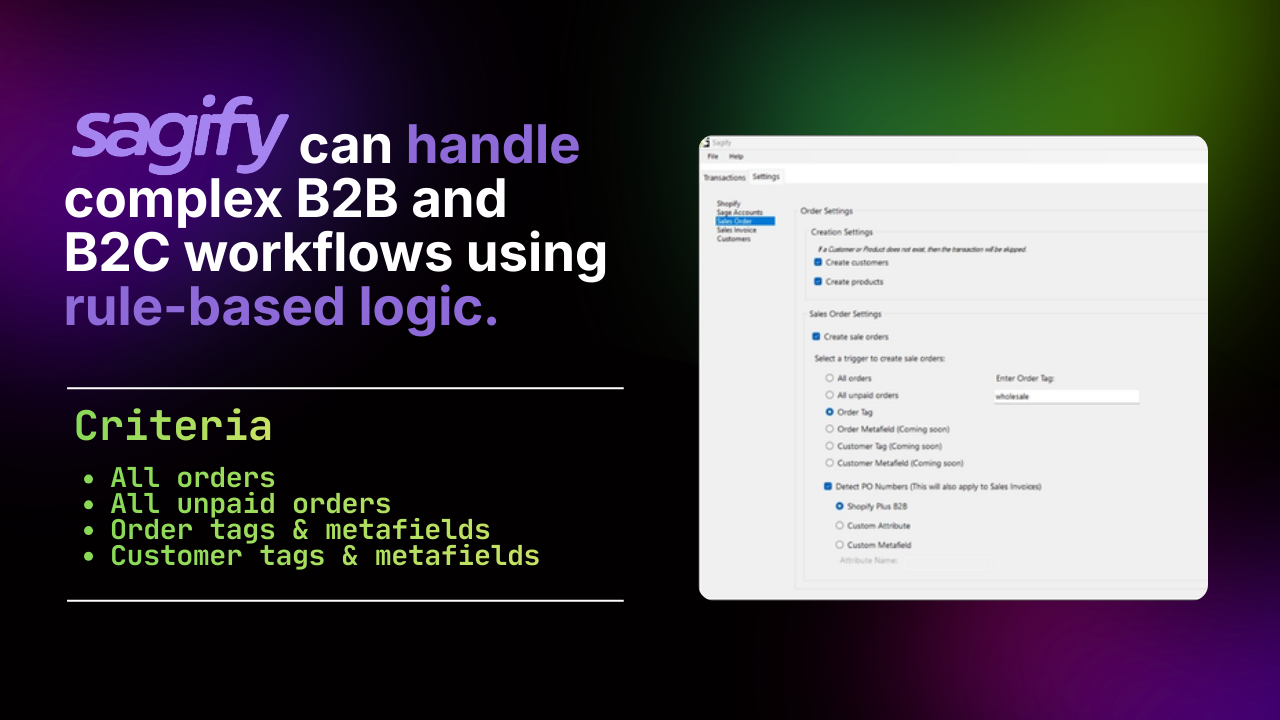
Sage 50 B2B and B2C Workflows from One Shopify Store
Retail and wholesale orders need different treatment in Sage 50. The rules that send each Shopify order to the right customer, document, revenue account and terms.