Automatic Sage 50 Invoices from Shopify: Invoice or Sales Order?
Should a Shopify order become a Sage 50 invoice or a sales order? What each one posts, when to use which, and what a correct automatic invoice looks like.
Most people looking for automatic Sage 50 invoices from Shopify want one thing: to stop typing orders. Automating that is the easy part. The decision that actually shapes your books comes first, and it's easy to skip: which Sage 50 document should each order become? A sales invoice and a sales order look almost the same on screen, and they behave very differently in the ledger.
This guide is for Sage 50 US edition. It explains what each document does, when to use which, and what a correct automatic invoice looks like once it's in Sage 50.
The short answer: if customers pay at checkout and Shopify (or your 3PL) does the shipping, make every order a sales invoice, with a receipt for the payment. If you pick, pack and ship from Sage 50, sell on terms, or take orders you can't ship yet, make those orders sales orders and turn each one into an invoice when it ships. Plenty of stores need both, split by a rule.
In this guide:
- What each document does in Sage 50
- When an invoice is the right document
- When a sales order is the right document
- Mixing the two with a rule
- What a correct automatic invoice looks like
- Sales tax: the line that decides whether totals match
- Paid orders shouldn't sit open
- How Sagify US does it
- FAQ
What Each Document Does in Sage 50
| Sales invoice | Sales order | |
|---|---|---|
| General ledger | Posts at once: revenue, sales tax, accounts receivable | Doesn't post. Nothing reaches the ledger until it's invoiced |
| Inventory | Takes the items out of stock and books their cost to COGS | On-hand stock and COGS don't move until it's invoiced |
| Customer balance | Shows as owed until a receipt is applied | Not owed yet |
| What happens next | Nothing. It's final, and a refund is a separate credit memo | Turned into an invoice, in full or in part, when the goods ship |
| Built for | Orders that are paid, shipped and done | Picking, backorders, terms, approvals |
The first row is the one that matters. Sage's own documentation is explicit that sales orders are not posted to the general ledger ↗: the sale reaches the ledger only when the sales order is applied to an invoice. So a sales order still open on the last day of the month is revenue that isn't in that month. That's correct if the order hasn't shipped. It's a mistake if it shipped and nobody converted it.
When an Invoice Is the Right Document
Make every order a sales invoice when:
- Customers pay at checkout. There's nothing to approve and nothing to collect.
- Shopify, or a 3PL, handles fulfillment. Nobody needs a Sage 50 document to pick from.
- You want Sage 50 to agree with Shopify by day. Each order's revenue, tax and stock movement land on the order date, so your daily sales in Sage 50 line up with Shopify's sales report.
This is the setup most direct-to-consumer stores want, and it's the simplest to keep clean. The one thing it needs is a receipt for each paid order, or every order will show as unpaid in Sage 50 (more on that below).
When a Sales Order Is the Right Document
Make an order a sales order when posting it now would put something in the wrong place:
- Your warehouse works from Sage 50. Pickers print the sales order or a pick list, pack, and the invoice is created when the box leaves.
- B2B orders on net terms. You may want to check stock, credit or pricing before anything is billed, and the customer's PO number needs to travel with the order.
- Pre-orders and backorders. The customer ordered in October, the goods ship in December. An invoice in October puts the revenue and the stock movement two months early.
- Orders that ship in pieces. Sage 50 lets you invoice the quantities that shipped and leave the rest of the sales order open.
The cost of sales orders is that someone, or something, has to convert them. Add open sales orders older than your normal shipping time to your month-end checks: each one is either a real backorder or revenue that never reached the ledger.
Mixing the Two with a Rule
You don't have to choose one document for the whole store. The common splits are:
| Rule | Becomes a sales order | Becomes an invoice | Typical store |
|---|---|---|---|
| By payment | Unpaid orders | Paid orders | Retail plus wholesale customers on terms |
| By fulfillment | Unfulfilled orders | Orders already shipped | Stores that only want to book what has shipped |
| By tag | Orders with a tag such as wholesale |
Everything else | B2B orders tagged by hand or by a Shopify Flow rule |
Pick the rule your Shopify data can express reliably. Payment and fulfillment status are set by Shopify itself. A tag is only as reliable as whatever applies it.
What a Correct Automatic Invoice Looks Like
Whether a tool creates it or a person types it, an invoice built from a Shopify order should pass this checklist:
- The right customer. Either each shopper matched to their own Sage 50 customer (by email, for instance), or every web order on one "Online Sales" customer. Mixing the two by accident is how duplicate customers start. See how to match Shopify customers to Sage 50 without duplicates.
- A number you can search. The Shopify order number as the invoice number, or Sage's own numbering with the order number in a note.
- The right date. The order date for an invoice, the ship date for a converted sales order.
- One line per product, on its Sage 50 item. Item lines are what move stock and cost. A line with only a description and a GL account books revenue but leaves inventory where it was.
- Discounts handled one consistent way. Either folded into the line prices, the way Shopify shows them, or gathered on a discount line.
- Shipping in one place. In Sage's Freight field, or as a shipping line, every time.
- Tax that matches what the customer paid. See the next section.
- A total that equals the Shopify order total, to the cent.
- A receipt, if the order was paid.

Sales Tax: The Line That Decides Whether Totals Match
There are two ways to get the tax Shopify charged into a Sage 50 invoice, and each has a cost.
Let Sage 50 calculate it with a sales tax code. The invoice carries a sales tax code and Sage 50 works out the tax from the taxable lines. Your Sage 50 sales tax reports work as usual. The risk is the rate: Sage's rate for that code has to match the rate Shopify charged for that address. Where they differ (city, county and special district rates are the usual culprits), the invoice total drifts from what the customer paid, by cents on one order and by real money over a quarter.
Post Shopify's tax as lines. One line per tax Shopify charged, or a single total line, on your sales tax liability account. The invoice total always equals what the customer paid. The trade-off: Sage 50's built-in sales tax reports work from sales tax codes, so they won't include these lines. You file from Shopify's tax report (or your tax service) and use Sage 50 to reconcile the liability account.
A rough guide: if you sell mostly in your home state and file from Sage 50, use codes and keep the rates current. If you sell across many jurisdictions and file from Shopify or a tax service, post the tax as lines. Our post on why Shopify tax errors compound in Sage 50 goes deeper on the drift.
Paid Orders Shouldn't Sit Open
An invoice for an order Shopify already collected the money for, with no receipt against it, tells Sage 50 the customer still owes you. At a few hundred orders a month, the aged receivables report becomes useless, and so does any reminder or statement run from it.
There are two sensible ways to record the payment:
- A receipt when the invoice is created, for the amount Shopify collected. Simple, and the invoice is never open.
- Receipts applied when the Shopify payout arrives, grouped on one deposit, so the deposit in Sage 50 equals the deposit on your bank statement. This is more work to set up and much less work at bank reconciliation. See how to reconcile Shopify payouts in Sage 50.
Either is fine. Leaving paid invoices open isn't.
How Sagify US Does It
Sagify US creates Sage 50 sales invoices from Shopify orders by default, and sales orders when you ask it to:
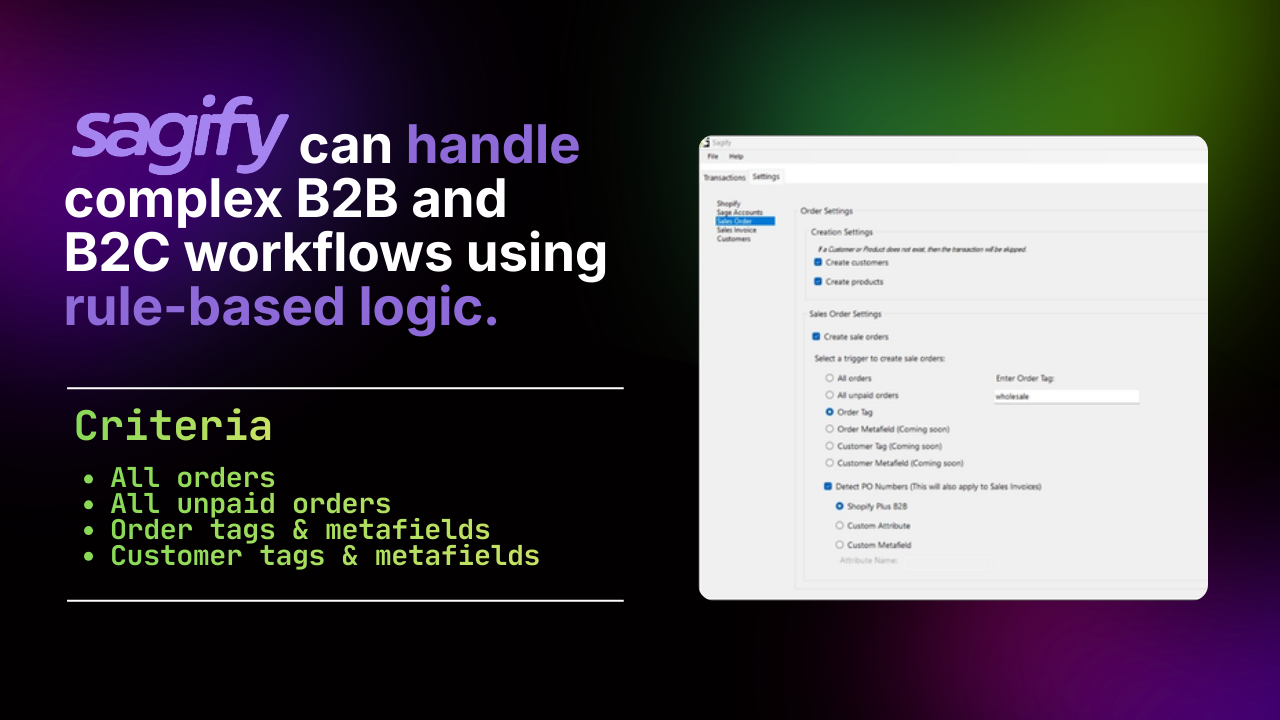
- Choose the rule under Settings → Sales Orders: sales orders for all orders, all unpaid orders, all unfulfilled orders, or orders with a tag you name. Everything else becomes an invoice.
- Convert when it ships. The Sales Orders tab lists the open sales orders in your Sage 50 company, whoever created them. Tick the ones that shipped and click Convert to Invoice: each becomes one invoice, applied to its sales order so the sales order closes, keeping the customer, PO number, terms, ship-via, notes, sales rep and ship-to address, dated the day of the conversion.
- Ship By dates. Sales orders can carry a Ship By date of the order date plus a number of days, business days only if you like, and you can change it per order before posting.
- Invoices that pass the checklist: the Shopify order number as the invoice number (or Sage's numbering, with the order number in the statement note), one line per product on its Sage 50 item, shipping through the Freight field or as a line, discounts as a line or folded into the prices, and tax posted by sales tax code, as one line per tax, or as a single total line.
- Smart Receipts: a paid order's invoice gets its receipt as it's created. A paid order set to become a sales order can be converted and receipted at once.
- PDF copies: Sage 50's SDK can't print its own forms, so Sagify can save a PDF of each sales order and invoice it creates, including picking list and packing slip layouts for the warehouse.
- Never twice: every posted order is recorded with its Sage 50 reference, and Sagify checks Sage 50 for that reference before posting, so the same order isn't entered twice, even from two computers.

Every setting, with screenshots, is in the help centre: Sales orders and invoices and Settings explained.
Not sure which rule fits your store? Book a demo and we'll look at your Shopify orders together and set it up.
On Sage 50 Canadian Edition, Sagify for Canada can create all orders as sales orders, or post invoices one per order or as a daily sales summary. See Set up Sagify for your orders.
Frequently Asked Questions
Do sales orders reduce inventory in Sage 50?
No. A sales order records what the customer ordered, but on-hand quantity and cost of goods sold only change when it's invoiced.
Can I switch from invoices to sales orders later?
Yes. The choice applies to orders as they're posted, so you can change it at any time. Orders already in Sage 50 keep the document they were posted as.
Can I invoice only part of a sales order?
In Sage 50, yes: invoice the quantities that shipped and the rest stays open on the sales order. Sagify's Convert to Invoice converts the whole sales order, so for a split shipment, invoice the shipped part in Sage 50 itself.
What date does an invoice converted from a sales order get?
The day it's converted, which is normally the day it ships. That's what puts the revenue in the month the goods left.
Should Shopify POS sales become invoices too?
Not necessarily. Many stores post a day of point-of-sale sales as one journal entry per register instead of one invoice per receipt. See General journal entries.
Related Reading
- Sales orders and invoices (Sagify US help) - Setting the rule and converting, screen by screen
- How to Manage Shopify Refunds in Sage 50 with Credit Memos - What happens when an invoiced order is refunded
- How to Automatically Import Shopify Orders into Sage 50 - The import itself
- How to Match Shopify Customers to Sage 50 Without Duplicates - The customer on every invoice
Ready to get started?
Schedule a demo to see how we can help streamline your workflow.
Read next
- Shopify Sage 50 integrationSagify posts Shopify orders, inventory, refunds and payouts into Sage 50 — US and Canadian editions.
- Sage + Shopify integrationsWhich Sagify fits your Sage: Sage 50 US, Sage 50 Canada or Sage Accounting.
- Sage 50 integration buyer's guideAn honest comparison of the Shopify to Sage 50 desktop connectors.
Related articles

Does Sage 50 Integrate with Shopify?
Not on its own. Why Sage 50 has no built-in Shopify connection, which Sage 50 you have, the four ways to connect them, and what a connector must do.

Hyperext vs Sagify, and the Other Sage 50 Shopify Connectors
Hyperext's HyperShop connects Shopify to Sage 50 Accounts in the UK; Sagify connects it to Sage 50 US and Canada. A fair comparison of both, plus Zynk, Tradebox, CartSpan, Storehub, Commercient and the rest, by edition.
Sage 50 B2B and B2C Workflows from One Shopify Store
Retail and wholesale orders need different treatment in Sage 50. The rules that send each Shopify order to the right customer, document, revenue account and terms.