Refunds and credit memos
How a Shopify refund becomes a Sage 50 credit memo against the original invoice, how to run refunds, and what a memo contains.
When you refund a Shopify order, Sagify US reverses it in Sage 50 with a credit memo: a negative sales invoice against the same customer, with the refunded items, taxes and shipping, applied to the original invoice when it can be. Nothing is deleted or edited in Sage 50; the sale and the refund both stay on the books.
What a credit memo contains
- Reference
{order}-REF, for example1470-REF(a refund applied through a payout uses1470-REF-{refund id}), dated the day of the first refund, with the note "Refund for Shopify order #1470" and the original invoice's sales rep. - One line per refunded product, with a negative quantity, on the same item and sales account as the original invoice.
- A Refunded Tax line when taxes are posted as line items, and a Product Discounts line when the original invoice carried one.
- A Shipping Refund line when shipping was refunded, posted the way the original invoice posted shipping, and an Adjustment Refund line on the shipping refund account for any part of the refund the lines do not explain (a restocking fee, for example).
- The total is the amount Shopify refunded.
The memo is applied to the original invoice when Sagify finds the invoice and the memo has a single line; otherwise it is posted unapplied and you apply it in Sage 50 (Tasks → Receive Money, or on the credit memo itself). The log says which it was.
Run refunds for a period
- On the Dashboard, choose Refunds under Processing Mode and set the Start Date and End Date. Sagify looks for orders placed in that range that are refunded or partially refunded.
- Click Process refunds and confirm the backup warning.
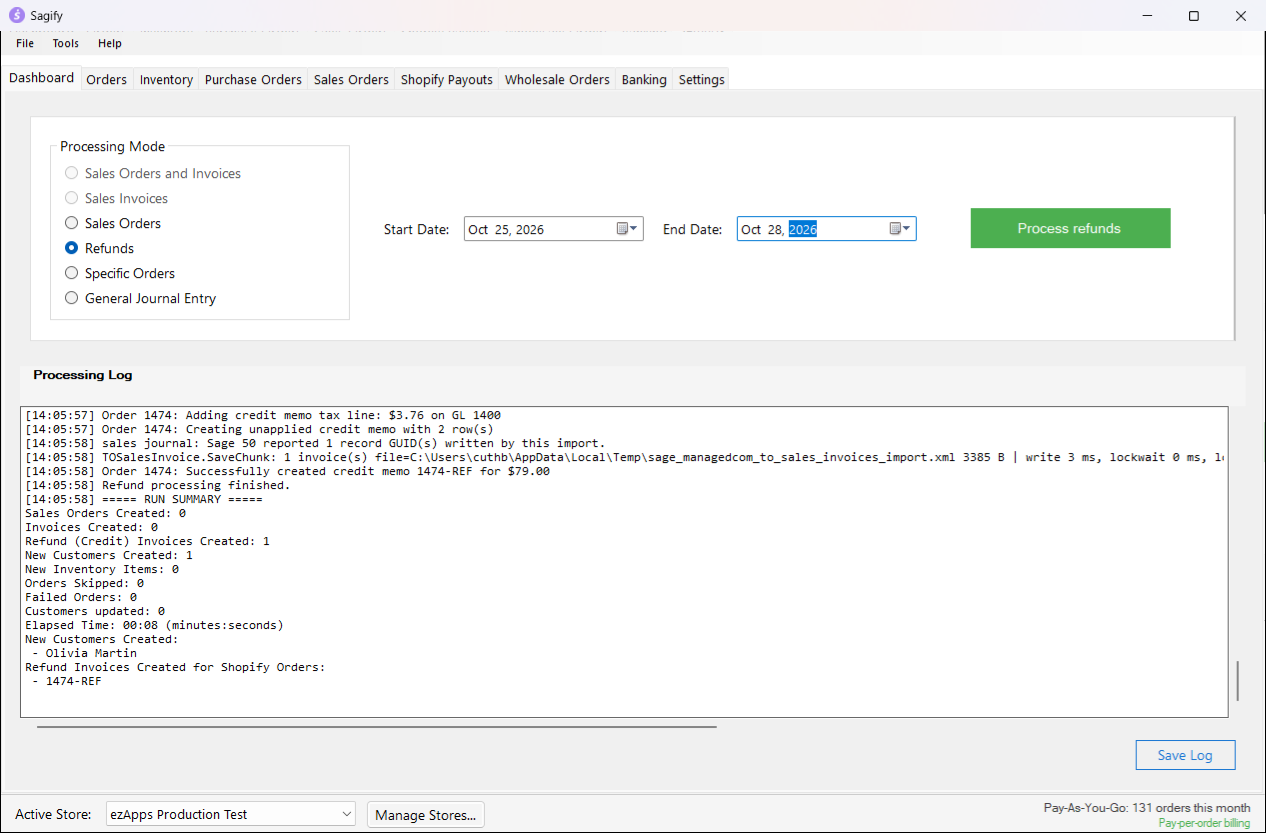
For each refunded order, Sagify finds the customer and the original invoice (it searches from 30 days before the start date), skips orders that already have a -REF memo, and creates the memo. The Process Summary at the end counts the credit memos; a refund that cannot be booked is listed as a failed order and the run goes on with the next one.
Note
A refund is matched to its invoice by the order's reference. If the invoice was posted long before the start date, widen the range so Sagify can find it; otherwise the memo is created unapplied.
Orders that were refunded before they were posted
When you post an order that Shopify already shows as fully refunded, Sagify asks what to do:
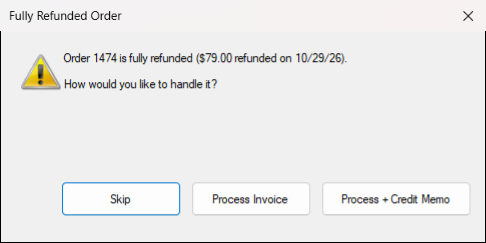
- Skip: nothing is posted. The order stays unprocessed.
- Process Invoice: the order is posted like any other (as a sales order or an invoice), for stores that want the sale on record and book the refund separately.
- Process + Credit Memo: the order is posted, converted to an invoice if it was a sales order, and its credit memo is created right away, so the customer's balance ends at zero.
Refunds in Shopify payouts
A refund also shows up in the Shopify Payments payout that paid it back. With the Smart Receipts payout method, the payout run books the credit memo (if it does not exist yet) and a negative receipt that takes the money back out of the bank account, so the deposit still matches. In receipts-only mode the refunds are listed for you to enter by hand. See Shopify payouts.
The credit memo in Sage 50
Find it under Lists → Customers & Sales → Credit Memos.
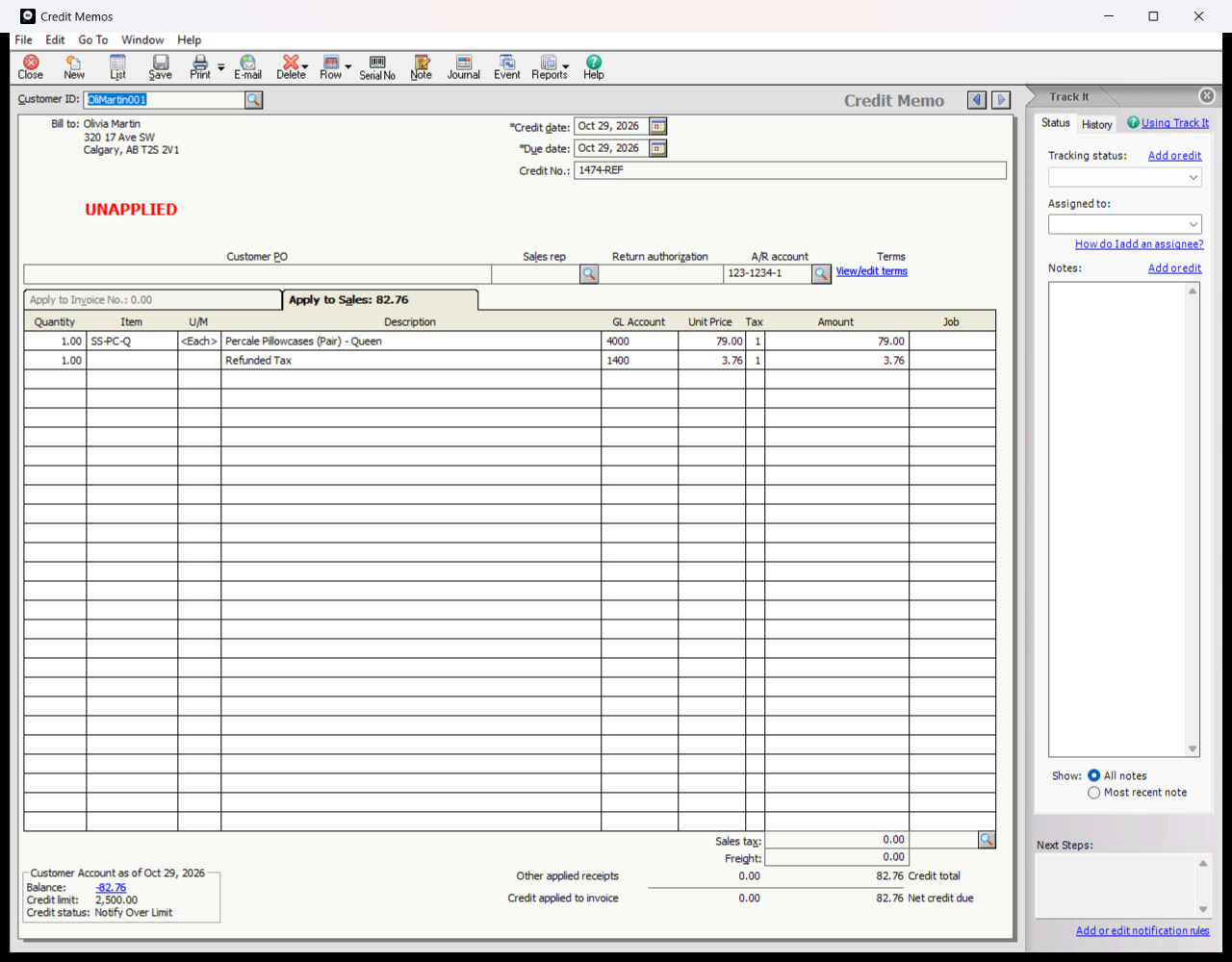
To refund partially, Shopify's partial refund produces a partial credit memo with only the refunded quantities and amounts. A refund that includes shipping or a restocking fee shows those on their own lines.